Has anyone used nRF24L01+ modules for multi-node Arduino projects?

rachna062

Jul 4, 2024
5
Joined
Jul 4, 2024
Messages
5
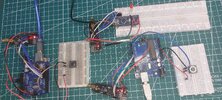
I’m currently working on a small wireless communication project using nRF24L01+ modules with Arduino. I started with two boards, where one acts as the initiator and the other responds to the received message.

The basic two-way communication is working, but I’m now looking at the Multiceiver feature. The idea of having up to six addressed data pipes on the same RF channel seems quite useful for building a small network of sensor nodes.

I’m curious about the practical side of this. For anyone who has used nRF24L01+ with multiple transmitters, how reliable have you found it when several nodes are sending data to one receiver? Did you need to adjust the channel, data rate, or retry settings to get stable communication?

I’m using the standard nRF24L01+ modules at the moment and would be interested to hear what others have experienced with them.
 

Attachments

  • 20251129_175345.jpg
    20251129_175345.jpg
    327.1 KB · Views: 0

rainyliveshere

Jul 4, 2026
35
Joined
Jul 4, 2026
Messages
35
MultiCeiver works quite well for small sensor networks. However, the six pipes are logical addresses, not separate RF channels. All nodes still share the same 2.4 GHz channel.

The main issue with several transmitters is packet collision. If multiple nodes transmit simultaneously, some packets can be lost.

The RF24 library has a MultiCeiverDemo showing six transmitters communicating with one receiver. You may also find this All about nRF24L01 Modules article helpful.
 

robertlunch

Aug 11, 2026
2
Joined
Aug 11, 2026
Messages
2
I've run a few multi-node setups with the nRF24L01+ and can share what I found.

On reliability: MultiCeiver itself is solid — the six pipes are logical addresses, all sharing the same 2.4 GHz carrier, exactly as rainyliveshere said. The real bottleneck in practice is packet collisions when several nodes transmit at the same time.

Things that helped me get stable comms:

Stagger your timing. Don't let nodes transmit whenever they feel like it. Give each node a small random backoff, or run a simple round-robin schedule. A "listen-before-talk" approach dramatically cuts collisions.
Lower the data rate for range. At 250 kbps you get noticeably better sensitivity (~-94 dBm) than at 2 Mbps. For a dense sensor mesh I usually drop to 250 kbps and it makes a real difference indoors.
Lean on ACK + auto-retransmit. The RF24 library's setAutoAck() and setRetries() are your friends. radio.setRetries(5, 15) gives a decent retry budget. Just don't set retries too aggressively with several nodes — they end up retransmitting into the same collisions.
One pipe per node, unique TX addresses. The MultiCeiverDemo pattern (same RX address on all nodes, distinct TX address per node) is the way to go. The receiver reads radio.getDynamicPayloadSize() per pipe so it knows which node sent what.
Watch the power supply. This one trips most people up. nRF24L01+ current spikes can reach ~10 mA+, and if you run a few modules off a noisy Arduino 3.3 V rail you'll get flaky behavior that looks like a software bug. A decoupling cap near the module and a clean 3.3 V line make a huge difference.

When nRF24L01+ starts to feel tight: In my experience, once you push past ~6 nodes, need longer range, or have walls/floors between nodes, the shared 2.4 GHz channel model gets painful. For those cases I've moved some nodes over to LoRa radios — much longer range and better building penetration on a sub-GHz band, and the address/LBT handling is more forgiving for multi-node meshes.

I've been using EBYTE's modules in a few builds — their nRF24L01-compatible 2.4 GHz units as drop-in replacements, and their LoRa line when I actually need distance. Solid, well-documented, and the datasheets are actually readable, which matters when you're scaling node count up. Worth a look if you end up going bigger.
 
Top