Panasonic F61 code

Status
Not open for further replies.

MaxR

Dec 29, 2010
7
Joined
Dec 29, 2010
Messages
7
I'm working on a Panasonic SC-HT700 home theater that is giving an F61 code. Unit starts up and immediately turns off with F61 displayed. I've replaced the 26 pin audio power module IC501 (in the powered subwoofer SB-WA340) but the problem is still there. All pins are definitely getting power, I've verified it several times. The fan works fine when powered externally with 9V battery. I read somewhere that IC502 could also throw the code, but I'm not sure how to test it. 502 is an 8 pin IC type 5218A. Anyone have any advice? Thanks!
 

MaxR

Dec 29, 2010
7
Joined
Dec 29, 2010
Messages
7
The service manual states that F61 is a "power circuit system failure and/or direct direct current flown to speaker terminal". I've replaced several power supply ICs (in addition to the power control module), to no avail. There are several burnt looking areas on PCB near power supply ICs, and I changed them with identical ICs from the same board of another unit. Still no good. I've also ruled out the active subwoofer since I've tried it with two different subwoofers and the problem is still there. It's definitely on the main PCB, since I've swapped every other board/cable with those from the other unit.

I have a service manual with wiring schematics for the unit, but I can't attach it here due to file size limitations.I can send the service manual if anyone has a clue or thinks they can help.
 

davenn

Moderator
Sep 5, 2009
14,470
Joined
Sep 5, 2009
Messages
14,470
maybe a photo (sharp not blurry) of the power supply specially showing the burnt PCB area. how about just a portion of the cct diag of the PSU

The service manual should show you what voltages to expect at various locations
have you checked for those ? :)

Dave
 

MaxR

Dec 29, 2010
7
Joined
Dec 29, 2010
Messages
7
I've attached the power supply IC and digital sound controller schematic. I will post a photo in a separate thread. So far I've replaced IC2,3,4,5,6,7, and 8. Also Q752,Q750, and several others. Now I'm suspecting IC701 Digital sound controller.It appears that IC701 is connected to the active subwoofer and speakers. Admittedly, I'm not an expert and don't have much experience on troubleshooting consumer electronics. I've always had an interest in this kind of stuff and want to learn more. I'm using this project more for the experience of learning than anything else. So, I don't really know how to test for voltage at the ICs. I only know how to check resistors and simple things like that.
 

Attachments

  • IC701.jpg
    IC701.jpg
    120.2 KB · Views: 17,074
  • power supply.jpg
    power supply.jpg
    126.3 KB · Views: 7,665

MaxR

Dec 29, 2010
7
Joined
Dec 29, 2010
Messages
7
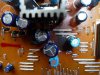
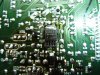
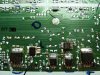
Image PCB1 shows the burned discolored region on backside of PCB. Directly behind it on the other side is IC5, shown in the separate image. I know the solder joints aren't pretty (I'm new at this), but they are all good, and as I previously wrote I have switched them all. I also changed transistor Q754 attached to the large heat sink in image PCB1. The capacitors all seem OK with no bulging or leaking. I don't know if I'm even on the right track, but I figured I would start there since the board does looks obviously overheated/burned.
 

Attachments

  • PCB1.jpg
    PCB1.jpg
    72.1 KB · Views: 10,493
  • IC5.jpg
    IC5.jpg
    98.7 KB · Views: 6,921
  • IC2-8.jpg
    IC2-8.jpg
    106.2 KB · Views: 5,948

davenn

Moderator
Sep 5, 2009
14,470
Joined
Sep 5, 2009
Messages
14,470
ok thanks

IC5 is a +5V regulator a Sharp PQ05DZ51/11
Pin1 = DC in
Pin2 = On/Off Control
Pin3 = DC out
Pin4 = No Connection
Pin5 = Gnd

you should have ~ 7 - 10V on Pin 1, presumably some sort of control voltage on Pin2(data sheet says +2V to turn regulator on) , and +5V on Pin3
I would replace those 3 or 4 electro caps closest to the cooked board area anyway, if they aren't faulty yet they probably will soon be.

Remember the electrolytic capacitor is the MOST UNRELIABLE component in electronics hahahah :) they cause so much grief and hair pulling. Yes they often bulge or leak, but they will still dry out inside without any outward signs of physical damage.

Dave
 

MaxR

Dec 29, 2010
7
Joined
Dec 29, 2010
Messages
7
I checked the voltage between pins 1 and 5. When the power button is pushed the voltage goes up to 10.3V. How do I check the Vout at pin 3? I tried to check between pins 3 and 5, but I get zero when I do that, so I don't think I'm checking Vout properly.

I will change the caps next and see what happens.
 

(*steve*)

¡sǝpodᴉʇuɐ ǝɥʇ ɹɐǝɥd
Moderator
Jan 21, 2010
25,510
Joined
Jan 21, 2010
Messages
25,510
Check the voltage between pin 2 and 5. This will tell you if the regulator is being enabled. If its not getting enabled, that may be why the output is 0V (but there may also be other reasons)
 

MaxR

Dec 29, 2010
7
Joined
Dec 29, 2010
Messages
7
The voltage is basically zero (0.1V) between 2 and 5 when power is tuned on. I also changed the caps in that area, but it didn't have any effect.
 

davenn

Moderator
Sep 5, 2009
14,470
Joined
Sep 5, 2009
Messages
14,470
The voltage is basically zero (0.1V) between 2 and 5 when power is tuned on. I also changed the caps in that area, but it didn't have any effect.

ok you need to discover why the voltage on pin 2 is 0V. on your 2nd pic, power supply.jpg, you can see the line coming off pin 2 of IC5 and going to the right edge of the page. Where does it go to from there ? you need to trace out that line and find the source of the control voltage.

The regulator isnt going to put out 5V unless it sees the control voltage on pin 2.
there appears to be other similar regulator chips there as well and also other regulators. you need to check them all for correct input and output voltages and write down your results determining which power rails are working and which are not.

cheers
Dave
 

MaxR

Dec 29, 2010
7
Joined
Dec 29, 2010
Messages
7
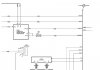
I've uploaded a different schematic for the main PCB that is easier to follow. I can see that pin 2 of IC5 goes into IC800 (mainpcb2 image). But I'm not sure what to do from there to test if power is getting into IC800. One other question about reading the schematic; some lines are shown coming together into a single main line. It doesn't make sense to me that they would be shared on the same circuit. For example, in mainpcb3 image it shows many lines coming together on the right going to "active subwoofer block". How is that interpreted?

The attached images are numbered such that they follow from right to left and stitch together. The limitation on the file attachment size wont let me load the full document, and there is a security on the service manual that wont let me save single pages from the original pdf.
 

Attachments

  • mainpcb1.jpg
    mainpcb1.jpg
    49.4 KB · Views: 3,874
  • mainpcb2.jpg
    mainpcb2.jpg
    42 KB · Views: 2,091
  • mainpcb3.jpg
    mainpcb3.jpg
    30.2 KB · Views: 2,345
  • mainpcb4.jpg
    mainpcb4.jpg
    30.5 KB · Views: 1,803
  • mainpcb5.jpg
    mainpcb5.jpg
    47.1 KB · Views: 2,403
  • mainpcb6.jpg
    mainpcb6.jpg
    40.4 KB · Views: 2,018
  • mainpcb7.jpg
    mainpcb7.jpg
    34.5 KB · Views: 2,252
  • mainpcb8.jpg
    mainpcb8.jpg
    28.7 KB · Views: 1,638
  • mainpcb9.jpg
    mainpcb9.jpg
    52.1 KB · Views: 2,003
  • mainpcb10.jpg
    mainpcb10.jpg
    38.9 KB · Views: 1,936

DEEP

Nov 22, 2014
2
Joined
Nov 22, 2014
Messages
2
This is a false alarm. It has nothing to do with failure of any device, at least in your case. I have received on AK177 with F61 error. I have tried to switch it again and again and it started operated " Normally" . It gives F61 error 1 out of 10 switching on effort. Find how to disable "F61 shut down " . If I will be successful, I will let you know, mean while you also start working in that direction. Forget about thinking of power amp faulty.
 

davenn

Moderator
Sep 5, 2009
14,470
Joined
Sep 5, 2009
Messages
14,470
Deep this thread is 3 years old
the OP never returned
but for the sake of helping anyone in the future, please post if you find a cure :)
 

DEEP

Nov 22, 2014
2
Joined
Nov 22, 2014
Messages
2
Well, thank you for your updates.I was searching for help, now I am for the help ! In my case it is capstan of the cassette player was jammed and was being over loaded at power on self test so it was going to F61. Now it is working OK.
 

Vijesh

Feb 6, 2016
1
Joined
Feb 6, 2016
Messages
1
Hello MaxR, can you pls forward me the complete service manual with wiring schematics to me please
(email removed)

Thanks in advance.
 
Last edited by a moderator:

davenn

Moderator
Sep 5, 2009
14,470
Joined
Sep 5, 2009
Messages
14,470
Hello MaxR, can you pls forward me the complete service manual with wiring schematics to me please
(email removed)

Thanks in advance.


this thread is VERY old and MaxR never returned since his 2011 post
I removed your email addy so that your wouldn't get spammed

Dave
 

Kentucky

Oct 1, 2016
2
Joined
Oct 1, 2016
Messages
2
I also get a F61 alarm. It is not the amp. on the board where the dvd player is, is a 5 pin ic, a dc to dc converter, called ic 2000. on the input is 15 volt, but no output. it seems if it get feed from a dvd pcont from a ic, I dont know if this ic is dead, cannot find a data sheet for it. Any help would be appreciate.
 
Status
Not open for further replies.
Top