Logitech x-540 repair

Status
Not open for further replies.

davidjk

Oct 2, 2014
5
Joined
Oct 2, 2014
Messages
5
i have a 5.1 surround system that is playing up. it will be playing at normal volume then gets really quiet, then after an unspecified time returns to normal, or can change constantly quieter then louder.
I have managed to figure out it is something in the electronics of the amplifier rather than the volume knob or the input.
i think this because if i turn the volume up high it still does the same and doesnt crackle ruling out the volume knob.
if i plug it into another device it still does the same thing.

my question is. how do i track down the faulty component?
 

KrisBlueNZ

Sadly passed away in 2015
Nov 28, 2011
8,393
Joined
Nov 28, 2011
Messages
8,393
Hi David and welcome to Electronics Point :)

This is a pretty recent product and I doubt that technical information will be available anywhere. I've looked on elektrotanya, a good source of service manuals, but it's not listed there. If you can get any service information on it, that would be great.

I guess you should start by opening up the subwoofer - I assume all the amplifiers are in the subwoofer enclosure - and taking some photos of it, so we know what we're dealing with. Start with an overview of what's inside the enclosure, then take some close-ups of the individual boards. See https://www.electronicspoint.com/resources/how-to-take-photos-of-circuit-boards.6/ for guidance, and also https://www.electronicspoint.com/resources/photos-with-phones.27/ if you're using a phone to take the photos.

Are you using all of the speakers? When the volume varies, does the volume from all speakers vary together?

What are you driving it from? Have you tried driving it from a different source such as a stereo radio tuner? If not, can you do that? The unit has some smart processing inside it that will vary the volume, and it could be getting confused by certain characteristics of the signal you're feeding it.
 

davidjk

Oct 2, 2014
5
Joined
Oct 2, 2014
Messages
5
hi, thank you for replying, the volume does indeed vary on all speakers at the same time. i have tried using it from a different source, not just pc input.
it has worked fine for years but recently started playing up.
i will get the pictures uploaded asap. many thanks
 

forest

Sep 14, 2018
6
Joined
Sep 14, 2018
Messages
6
it will be playing at normal volume then gets really quiet, then after an unspecified time returns to normal, or can change constantly quieter then louder.

My Logitech X-540 just developed the same problem. @davidjk Did you manage to solve it, or even narrow it down further?
 

kellys_eye

Jun 25, 2010
6,512
Joined
Jun 25, 2010
Messages
6,512
The OP last posted 4 years ago and hasn't been back since - I very much doubt you'll be hearing from them.
 

forest

Sep 14, 2018
6
Joined
Sep 14, 2018
Messages
6
I saw the date. It's always worth a try when you're looking for information, and even if OP doesn't respond, the next person to land here with this problem will see that there's now another person (me) who might have info to share.
 

kellys_eye

Jun 25, 2010
6,512
Joined
Jun 25, 2010
Messages
6,512
Well the OP was asked to upload pictures and expand on the issue but failed to do so.

If you started your own thread on the subject and did what the OP 'should' have done we might be better placed to assist you in fixing YOUR problem.....

or we could wait for the OP to reply!
 

forest

Sep 14, 2018
6
Joined
Sep 14, 2018
Messages
6
To whomever next arrives here with the same problem, try this before mucking about with subwoofer disassembly or PCB photos:

Pick up a can of contact cleaner spray, open the volume control housing (there are three screws hidden behind the foam feet), and spray the cleaner into the volume potentiometer while repeatedly turning it up and down for a while. Consider cleaning the other pot, too, as a preventative measure.

After several days with no more of the erratic volume changes that were happening every few minutes, I think it's safe to say that the cleaning fixed it. (Lesson: Don't rule out dirty pots as the cause of a problem just because they don't crackle or fix themselves when you turn them.)
 
Last edited:

forest

Sep 14, 2018
6
Joined
Sep 14, 2018
Messages
6
In case cleaning doesn't fix it, the pot in question is a 50k ohm linear taper snap-in style. Bourns PDB12-M4201-503BF looks like a perfect replacement, and CTS Electrocomponents 296XA253B1N or 296XF253B1N look close enough. I couldn't find those available in small quantities, but the Bourns PDB12-H4251-503BF works well if you cut the shaft down a bit.
 

OMA2k

Nov 9, 2020
2
Joined
Nov 9, 2020
Messages
2
To whomever next arrives here with the same problem, try this before mucking about with subwoofer disassembly or PCB photos:

Pick up a can of contact cleaner spray, open the volume control housing (there are three screws hidden behind the foam feet), and spray the cleaner into the volume potentiometer while repeatedly turning it up and down for a while. Consider cleaning the other pot, too, as a preventative measure.

After several days with no more of the erratic volume changes that were happening every few minutes, I think it's safe to say that the cleaning fixed it. (Lesson: Don't rule out dirty pots as the cause of a problem just because they don't crackle or fix themselves when you turn them.)

Hello, forest. Thank you for your suggestion, but this still didn't fix the volume problem in my Logitech X-540 speakers. It still goes up and down whenever it feels like it. I used WD-40 contact cleaner, which worked wonders for the joycon drift issue in the Nintendo Switch, but here the problem seems to be more stubborn. Where exactly did you spray? In the base of of round plastic piece, in the metal "legs" in contact with the PCB? At the sides? Well, I sprayed seemingly everywhere and while it helped with making the volume changes be smoother (before it "stuttered" while turning the knob), the "volume going randomly up and down while NOT using the knob " issue is still present, so there might still be an issue with the subwoofer, which contains the audio amplifier.

Also, this seems to be a widespread problem with most aging units of these speakers (bought it more than a decade ago!). I guess most people just threw their speakers away and bought new ones instead of looking for a fix.

When I have time to do it, I might finally post some pictures of the thing, as KrisBlueNZ suggested 6 years ago :)
 

forest

Sep 14, 2018
6
Joined
Sep 14, 2018
Messages
6
Where exactly did you spray?

I sprayed inside the potentiometer housing, toward the base of the rotating post. I used contact cleaner, not WD-40. It helped for a few days, but the problem came back.

Fixing it required replacing the potentiometer. See my 2018-12-10 post for part numbers that should work, including the one that worked for me. Since then, the speakers have been in daily use and the volume knob is still fine today.
 

OMA2k

Nov 9, 2020
2
Joined
Nov 9, 2020
Messages
2
I sprayed inside the potentiometer housing, toward the base of the rotating post. I used contact cleaner, not WD-40. It helped for a few days, but the problem came back.

Fixing it required replacing the potentiometer. See my 2018-12-10 post for part numbers that should work, including the one that worked for me. Since then, the speakers have been in daily use and the volume knob is still fine today.

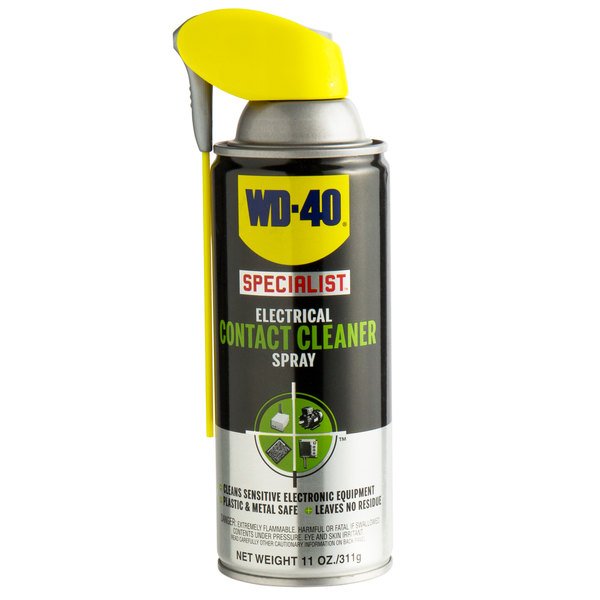
Thanks for the reply. Well, as I said, I DID use contact cleaner, not regular WD-40 oil.

WD-40 has more products, and one of them is WD-40 Contact Cleaner:
1785779.jpg


Still, it didn't completely help, and as I'm reading from you, in your case it only lasted a few days.

So you used the "Bourns PDB12-H4251-503BF" part, didn't you? Any advice on how to remove the old part from the PCB? I'm a bit of a noob at this.
 

forest

Sep 14, 2018
6
Joined
Sep 14, 2018
Messages
6
Any advice on how to remove the old part from the PCB? I'm a bit of a noob at this.

You'll have to desolder the old part and solder the new one in its place. There are probably dozens of guides on the web to introduce you to the process. If you have a friend with experience, they might be able to offer some guidance (or even do it for you). Welcome to electronics! :)
 

kerr20050

Mar 17, 2021
1
Joined
Mar 17, 2021
Messages
1
Found PN: PDB12-H4301-503BF worked perfectly as a replacement. The fit was perfect. The shaft was a bit long but if that bothers you it could be cut down to size. Just Google search PDB12-H4301-503BF and you should be able to find plenty of places that have it, its not expensive either.
 

thierry05

May 7, 2021
1
Joined
May 7, 2021
Messages
1
[QUOTE = "kerr20050, post: 1811964, membre: 67630"] PN: PDB12-H4301-503BF a parfaitement fonctionné en remplacement. L'ajustement était parfait. Le manche était un peu long mais si cela vous dérange, il pourrait être réduit à la taille voulue. Il suffit de rechercher sur Google PDB12-H4301-503BF et vous devriez être en mesure de trouver de nombreux endroits qui l'ont, ce n'est pas cher non plus. [/ QUOTE]
U grand merci pour l equivalence du potentiometre ceux que j avais trouvés etaient trop epais merci merci et encore merci
 

Sub7

Dec 2, 2024
1
Joined
Dec 2, 2024
Messages
1
In case cleaning doesn't fix it, the pot in question is a 50k ohm linear taper snap-in style. Bourns PDB12-M4201-503BF looks like a perfect replacement, and CTS Electrocomponents 296XA253B1N or 296XF253B1N look close enough. I couldn't find those available in small quantities, but the Bourns PDB12-H4251-503BF works well if you cut the shaft down a bit.
Thank you so much with the part number. This helped me a lot. I just placed order for replacement. I tried contact cleaner and electrical lubricant cleaner with no luck. I also desoldered and cleaned it with alcohol and soldered back with same issue. So new part is way to go. Thanks again!
 
Status
Not open for further replies.
Top