Here's an HTML version of the document https://support.dell.com/support/edocs/acc/hk595/en/setup.htm, admittedly much easier than a series of screen shots. Just look at the back of the sub for anything that says input and see if you have a doodad that fits it.
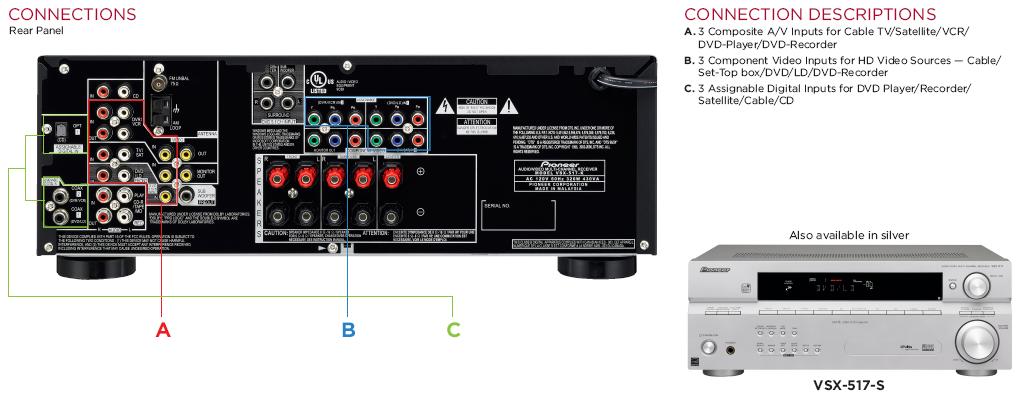
the photo YOU provided of the back and the front shows a headphone socket on the front left side of the unit !!!! beside the power switch
This is confirmed when you read the handbook for the photo of the unit YOU supplied !!!
I tend to agree with davenn, however I'm not sure whether you're wanting to use the PC speakers as a source of signal, or as the speakers for your receiver.
In either case, use the headphone output of one to connect to the input of the other.
I have verified that both have headphone outputs, and both have stereo inputs.
Well, I have verified that the devices you have linked to have headphone jacks. If you've linked to the wrong equipment, our advice may well be wrong.