
Most of time when we use WiFi, we only use our WiFi device as a "station"(STA) that mainly receive information sent from "access point" (AP). Ameba Microcontroller from Realtek can not only connect to WiFI as a station, but also broadcast its own signal and become an AP, here is how,
In AP mode, Ameba can accept at most 3 station connections, and can be set to open mode or security mode (WPA2).
Preparation
In this example, we turn on the AP mode of Ameba and connect station to Ameba.
Open the WiFi AP example, "File" -> "Examples" -> "AmebaWiFi" -> "WiFiAPMode"
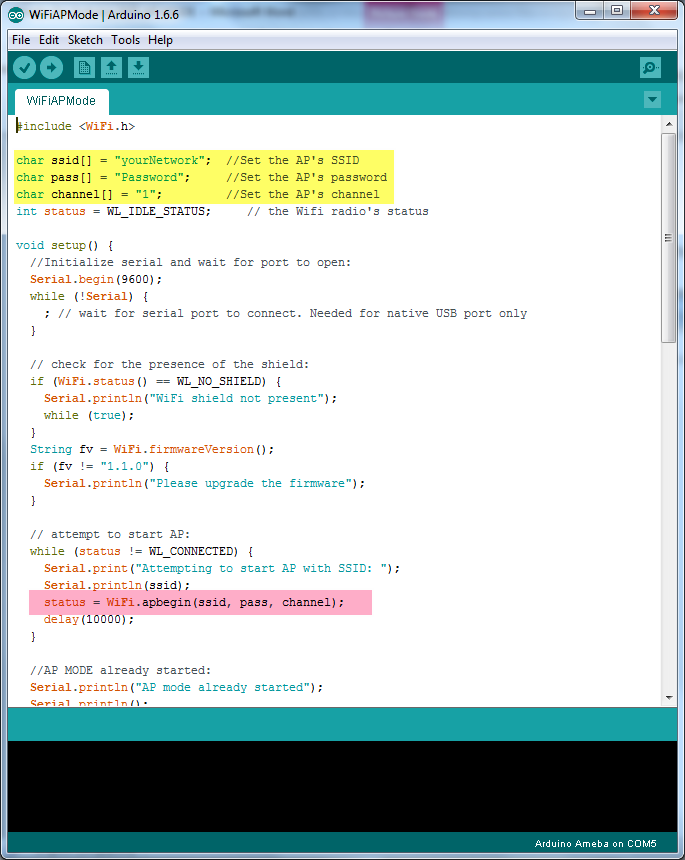
In the snippet highlighted in yellow, fill in your SSID, PASSWORD and CHANNEL.
The snippet highlighted in pink is the API we used to turn on the AP mode in security mode. If you want to turn on the AP mode in open mode, please modify the code to status = WiFi.apbegin(ssid, channel);
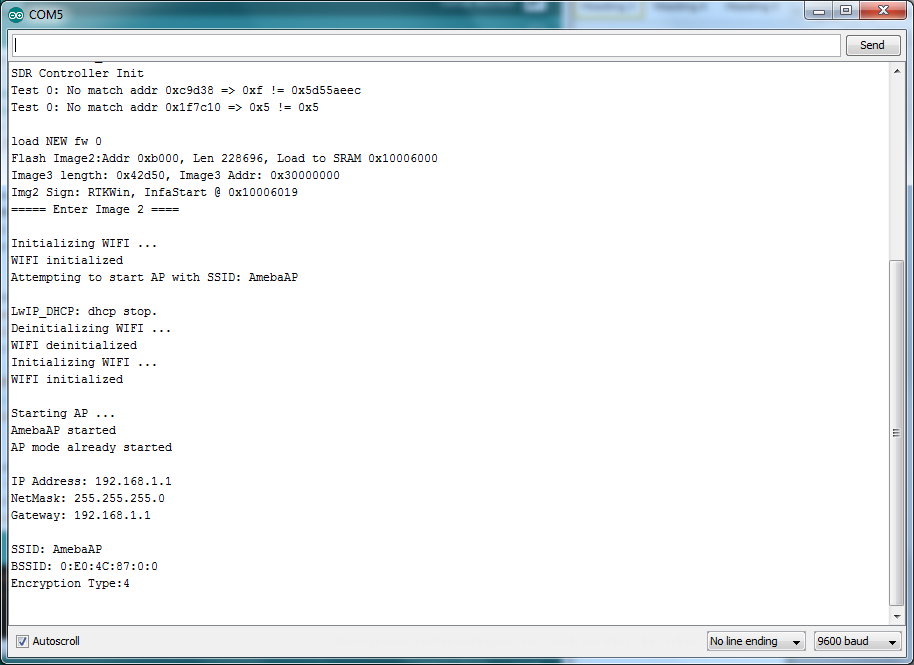
Then upload the sample code and press reset, and you can see related information shown in serial monitor.
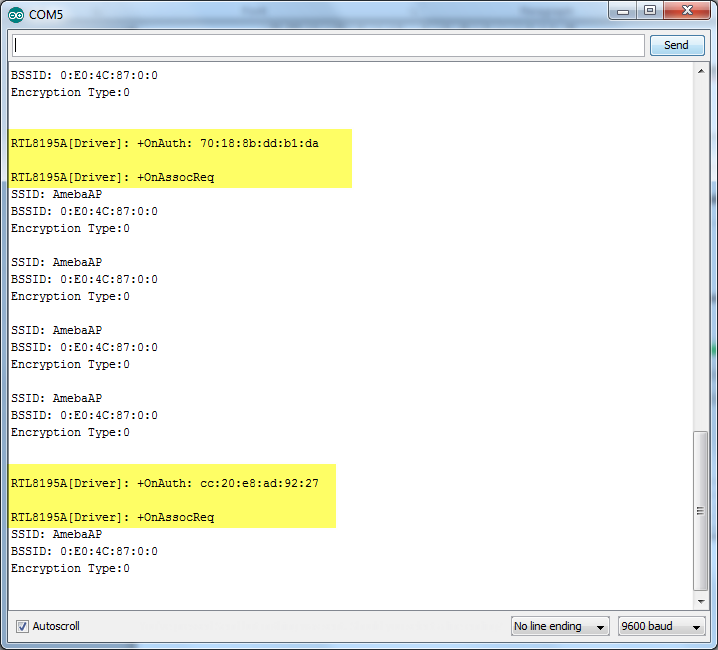
In the figure below, we show the messages shown in serial monitor when two stations connect to Ameba AP in open mode:
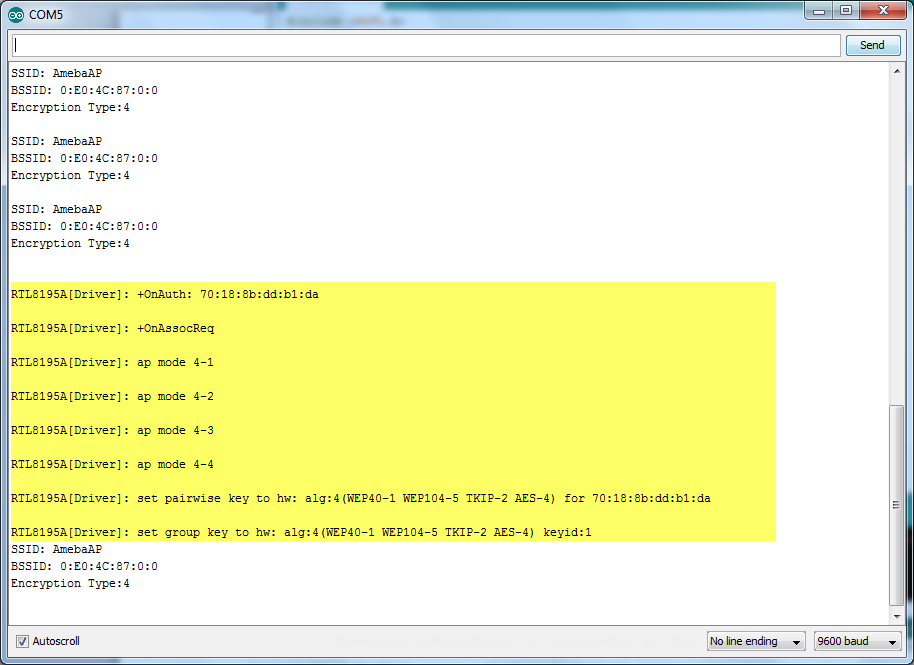
In the figure below, we show the messages shown in serial monitor when a station connects to Ameba AP in security mode:
In AP mode, Ameba can accept at most 3 station connections, and can be set to open mode or security mode (WPA2).
Preparation
- Ameba x 1
In this example, we turn on the AP mode of Ameba and connect station to Ameba.
Open the WiFi AP example, "File" -> "Examples" -> "AmebaWiFi" -> "WiFiAPMode"
In the snippet highlighted in yellow, fill in your SSID, PASSWORD and CHANNEL.
The snippet highlighted in pink is the API we used to turn on the AP mode in security mode. If you want to turn on the AP mode in open mode, please modify the code to status = WiFi.apbegin(ssid, channel);
Then upload the sample code and press reset, and you can see related information shown in serial monitor.
In the figure below, we show the messages shown in serial monitor when two stations connect to Ameba AP in open mode:
In the figure below, we show the messages shown in serial monitor when a station connects to Ameba AP in security mode:


