Fluke 199B Scopemeter Repair

grasshopper

Mar 24, 2013
26
Joined
Mar 24, 2013
Messages
26
G'day all,
I am looking to repair my Scopemeter. There is some obvious heat damage to the battery connector outer shell and what appears to be a "fried" component adjacent to it in the photograph.

Can anyone please identify the damaged component as I have yet to source a wiring diagram and service manual for the unit?

Appreciate your help.

Cheers

GrasshopperFLUKE 199b SCOPEMETER.jpg
 

KrisBlueNZ

Sadly passed away in 2015
Nov 28, 2011
8,393
Joined
Nov 28, 2011
Messages
8,393
It's hard to say; there's not much of it left!

It could be a diode for reverse battery protection. If it has disintegrated, it would have failed to protect the rest of the circuit, so you may find lots of damaged components, if you connected the battery backwards.

What did you do to cause this damage? What were you doing to the unit when it happened?
 

grasshopper

Mar 24, 2013
26
Joined
Mar 24, 2013
Messages
26
G'day Kris,
Battery was being changed and yes accidentally touched battery connection in reverse and instant flash over. This was a while ago now and I decided to give a repair my best shot and maybe learn something in the process. Yes user stupidity could have caused more damage but this component is the most obvious victim and I am hoping maybe sacrificed itself to save the unit.Fluke Scopemeter Power Circuit.jpg
Good news is I now have Service manual 206 pages and attached is the power circuit diagram.
I am looking to examine the unit now I have the diagram, carefully remove the component and see if I can identify it and source a replacement.
Any advice would be greatly appreciated.
Cheers
Grasshopper
 

KrisBlueNZ

Sadly passed away in 2015
Nov 28, 2011
8,393
Joined
Nov 28, 2011
Messages
8,393
OK, on the battery connector, pin 1 (presumably the left end on the photo in post #1) is positive, and pins 2 and 4 are negative.

The damaged component seems to be connected directly between pins 1 and 2, but I don't see any component on that schematic diagram that's connected directly across the battery connection points.

Assuming it's a diode for reverse voltage protection, you can test the scopemeter with it completely removed, to see whether the rest of it has survived or not.

If it still works, take another photo from directly above, with a ruler (steel if possible) sitting beside the damaged component, and we will suggest a suitable replacement diode.
 

grasshopper

Mar 24, 2013
26
Joined
Mar 24, 2013
Messages
26
G'day Kris,
Please see image attached. Battery connector is orientated correctly and I have added the pin numbers I believe are correct and agree with your advice.

The red cable battery positive +7.2V (I have confirmed by checking battery itself between red pin 1 and ground pin 2)
Fluke Scopemeter Pin ID.jpg ).

Not sure if my wiring diagram is accurate for my machine especially as I do not have the fan shown on the right of the diagram 9-15.
I'm just about to remove the component.

Many thanks for your support.

Grasshopper
 

grasshopper

Mar 24, 2013
26
Joined
Mar 24, 2013
Messages
26
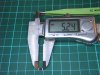
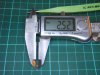
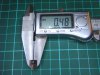
Component depth at each end, thickest places. 0.5 mm Nominal?

Ok Kris,

There it is the story so far. If you can identify the c omponent and suggest a suitable replacement I can try I would be most grateful?

Once again thanks for your patience and support.

Component depth at ends.jpg
 

grasshopper

Mar 24, 2013
26
Joined
Mar 24, 2013
Messages
26
Hi Kris,

If I look at the circuit diagram I look at R4101 which is as the attached page from the manual. That's it the grasshopper has reached the limit of his wisdom Master.


Page 8-26.jpg
 

(*steve*)

¡sǝpodᴉʇuɐ ǝɥʇ ɹɐǝɥd
Moderator
Jan 21, 2010
25,510
Joined
Jan 21, 2010
Messages
25,510
It looks to me to be a current sense resistor. You can notice what appears to be a thin trace connected to one end of the device. This may be a Kelvin connection.

Have you measured the resistance of this device?
 

grasshopper

Mar 24, 2013
26
Joined
Mar 24, 2013
Messages
26
Hi Steve,

Resistance shows as 0.4 ohms.

On both sides of device looking very closely here there are what look like scribed parallel lines. Please see sketch attached as camera cant pick it up very well.


Device sketch 1.jpg
 

(*steve*)

¡sǝpodᴉʇuɐ ǝɥʇ ɹɐǝɥd
Moderator
Jan 21, 2010
25,510
Joined
Jan 21, 2010
Messages
25,510
Probably a 0.39 ohm resistor
 

KrisBlueNZ

Sadly passed away in 2015
Nov 28, 2011
8,393
Joined
Nov 28, 2011
Messages
8,393
Steve, he seems to have identified it as R4101, 0.15Ω ±1% TC70 (presumably ±70 ppm/°C). See the asterisk on the parts list in post #11. Yes it is a current shunt. It's in the top left area of the schematic in post #3.

There is no diode connected directly across the battery; the fault current must have flowed through L4100 and L4101, and through V4105, the catch diode in the charger. I don't expect it would have damaged them. What do you think, Steve?

It is not shown as a four-terminal resistor on the schematic.

Here's one: http://www.digikey.com/product-detail/en/WSL2010R1500FEA18/WSLF-.15CT-ND/713474
 

(*steve*)

¡sǝpodᴉʇuɐ ǝɥʇ ɹɐǝɥd
Moderator
Jan 21, 2010
25,510
Joined
Jan 21, 2010
Messages
25,510
Gee that's gone pretty high.

To burn up a current shunt of that size suggests to me that something has gone badly wrong elsewhere (I see a suggestion of power connected with reverse polarity).

Yeah, I would check the mosfet, the diode, and the inductor (in that order :))

With luck, the relatively low impedance would mean that other components were not subject to a significant reverse voltage.
 

KrisBlueNZ

Sadly passed away in 2015
Nov 28, 2011
8,393
Joined
Nov 28, 2011
Messages
8,393
Yes, he said he connected the battery backwards.
 

grasshopper

Mar 24, 2013
26
Joined
Mar 24, 2013
Messages
26
That's great guys thank you. Time to order the component and replace it. I will update as soon as.

Cheers

grasshopper
 

grasshopper

Mar 24, 2013
26
Joined
Mar 24, 2013
Messages
26
Ok Guys, resistor now replaced.

On pressing start key I get a normal beep, screen back light starts up but screen is a hash of lines with some clear text in the background (suggests software starts to boot?).

After a very short time there is an audible "click" and the unit shuts off.

I do have a video of what happens but I am not sure if video can be uploaded to the forum?

Any advice or ideas appreciated.
 

KrisBlueNZ

Sadly passed away in 2015
Nov 28, 2011
8,393
Joined
Nov 28, 2011
Messages
8,393
I don't have any suggestions, sorry :-(
 
Top