
I have a PM 5192 programmable synthesizer/function generator (0.1mHz - 20MHz). This is very similar to the PM 5193 except the latter goes all the way up to 50MHz.
Mine is labeled as being a 100VAC unit, with a sticker saying 120VAC. Looking at the manual there is a different set of taps for PM 5193's before and after a certain serial number. Unfortunately I am unable to find manuals for the PM 5192 . Naturally the different transformers look identical, and the wrong wiring, while not disastrous, wouldn't be the way I want to start.
The serial number I have is in the same format as shown for the PM 5193 and is well below the cutoff. But the voltage labeling suggests it uses the newer transformer. More research into the fan wiring based on the circuit diagram and the warning not to move the fan wiring when you adjust the transformer taps for mains voltage selection provided even more evidence that I should use the post 5000 serial number taps.
So I did, removing one just and reversing another to set the device to for 240VAC. And it was right (confirmed by reading the voltage on the other tap).
So it powers up:

Err 3! The manual says it is a RAM issue but it may be OK to use the device. Further reading is strongly suggestive of a flat battery.
I ran most of the diagnostics and they didn't point to anything, so more evidence of battery failure.
Let's take a look inside...

And there's that pesky battery

It's just a 3V 2032 "lithium" cell. I have some larger 3V cells, should I use one?
One of the nice things about this unit is that it is really designed to be easy to service. Unplug a connector, remove 2 screws, and the to panel swings up.
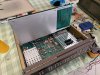
And there's even a place to insert one of the screws to lock to board in this position.

Did I mention this thing is a joy to work on?
So, battery removed

It's dead Jim! 0.02V...
But note the bit of "engineering". Were the single pin devices suddenly unavailable?
The clearance to the to cover was insufficient for me to feel happy about placing an AA sized replacement in there. But hey, I have a couple of 2032 sockets I removed from a couple of motherboards when I was getting familiar with my soldering station. And I think I the them here... (Insert sound of rummaging). Yep, got one! And I also have a really cheap and nasty 2032 battery from Ikea (10 for $2.99 if I recall correctly). 3.3V sounds good.

Looks like it was meant to be there! And the pin spacing was identical.
Powering up again I still get Err 3, but a quick scan of the manual suggests that I need to "create a register profile". It turns out this is a complex way of saying "save something". So I do, and when I restart:

No error 3 any more. Woo hoo!
Note to learn how to operate it
Mine is labeled as being a 100VAC unit, with a sticker saying 120VAC. Looking at the manual there is a different set of taps for PM 5193's before and after a certain serial number. Unfortunately I am unable to find manuals for the PM 5192
. Naturally the different transformers look identical, and the wrong wiring, while not disastrous, wouldn't be the way I want to start. The serial number I have is in the same format as shown for the PM 5193 and is well below the cutoff. But the voltage labeling suggests it uses the newer transformer. More research into the fan wiring based on the circuit diagram and the warning not to move the fan wiring when you adjust the transformer taps for mains voltage selection provided even more evidence that I should use the post 5000 serial number taps.
So I did, removing one just and reversing another to set the device to for 240VAC. And it was right (confirmed by reading the voltage on the other tap).
So it powers up:
Err 3! The manual says it is a RAM issue but it may be OK to use the device. Further reading is strongly suggestive of a flat battery.
I ran most of the diagnostics and they didn't point to anything, so more evidence of battery failure.
Let's take a look inside...
And there's that pesky battery
It's just a 3V 2032 "lithium" cell. I have some larger 3V cells, should I use one?
One of the nice things about this unit is that it is really designed to be easy to service. Unplug a connector, remove 2 screws, and the to panel swings up.
And there's even a place to insert one of the screws to lock to board in this position.
Did I mention this thing is a joy to work on?
So, battery removed
It's dead Jim! 0.02V...
But note the bit of "engineering". Were the single pin devices suddenly unavailable?
The clearance to the to cover was insufficient for me to feel happy about placing an AA sized replacement in there. But hey, I have a couple of 2032 sockets I removed from a couple of motherboards when I was getting familiar with my soldering station. And I think I the them here... (Insert sound of rummaging). Yep, got one! And I also have a really cheap and nasty 2032 battery from Ikea (10 for $2.99 if I recall correctly). 3.3V sounds good.
Looks like it was meant to be there! And the pin spacing was identical.
Powering up again I still get Err 3, but a quick scan of the manual suggests that I need to "create a register profile". It turns out this is a complex way of saying "save something". So I do, and when I restart:
No error 3 any more. Woo hoo!
Note to learn how to operate it
