
Cross-compilation Toolchain Location:
OK113i-linux-sdk/out/t113_i/ ok113i/longan/buildroot/host/bin/arm-linux-gnueabihf-gcc
Before executing the method below, please delete the out directory and decompress the cross-compilation tool chain in the lower path of the source code./buildroot/buildroot-201902/dl/toolchain-external-linaro-arm/gcc-linaro-7.3.1-2018.05-x86_64_arm-linux-gnueabihf.tar.xz
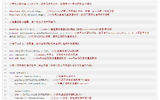
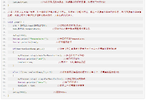
1. Modify mkcmd.sh and mkcommon.sh according to the patch modification method in the figure.

2. Go back to the sdk path and execute the following command:
forlinx@ubuntu:~/shuishui/OK113i-linux-sdk$ ./build.sh config

It is modified to emmc or NAND version according to the actual board configuration.
3. Next, execute the following command to enter the configuration of buildroot.

Enter toolchain

Modify the relevant options as shown in the figure below:

Enter target options

Because hard-float is needed, the highlighted part in the diagram needs to be modified to EABIhf.

Save and exit after setting.
Enter the following path to compile.

./build.sh
Full compilation may require an error with an environment variable, resulting in a failure to compile.

If this problem occurs, execute the following instructions and compile the buildroot.
export LD_LIBRARY_PATH=""
In the middle of compiling buildroot, you may encounter an error as shown in the following figure.

If these errors are encountered, you can find the corresponding source code and compile it through the tools in the decompressed cross-compilation chain. Subsequently, place the compiled executable file in the bin path and the library file in the lib path. Finally, continue executing ./build.sh until compilation is successful. After compiling successfully, return to the SDK path, perform full compilation build. sh, and then pack the image.
Next, write a test program to verify whether the cross-compilation chain can be successfully replaced. Here, you need to compare the program compiled with the original compilation chain with the program cross-compiled with the current compilation chain.

The part highlighted in the diagram is a program compiled using our original cross-compilation chain. It can be observed that it does not run normally. "Test" is a program compiled using the tools from the replaced cross-compilation chain, which runs normally. Additionally, the relevant information of the two programs can be determined using the ''strings'' tool.

OK113i-linux-sdk/out/t113_i/ ok113i/longan/buildroot/host/bin/arm-linux-gnueabihf-gcc
Before executing the method below, please delete the out directory and decompress the cross-compilation tool chain in the lower path of the source code./buildroot/buildroot-201902/dl/toolchain-external-linaro-arm/gcc-linaro-7.3.1-2018.05-x86_64_arm-linux-gnueabihf.tar.xz
1. Modify mkcmd.sh and mkcommon.sh according to the patch modification method in the figure.
2. Go back to the sdk path and execute the following command:
forlinx@ubuntu:~/shuishui/OK113i-linux-sdk$ ./build.sh config
It is modified to emmc or NAND version according to the actual board configuration.
3. Next, execute the following command to enter the configuration of buildroot.
Enter toolchain
Modify the relevant options as shown in the figure below:
Enter target options
Because hard-float is needed, the highlighted part in the diagram needs to be modified to EABIhf.
Save and exit after setting.
Enter the following path to compile.
./build.sh
Full compilation may require an error with an environment variable, resulting in a failure to compile.
If this problem occurs, execute the following instructions and compile the buildroot.
export LD_LIBRARY_PATH=""
In the middle of compiling buildroot, you may encounter an error as shown in the following figure.
If these errors are encountered, you can find the corresponding source code and compile it through the tools in the decompressed cross-compilation chain. Subsequently, place the compiled executable file in the bin path and the library file in the lib path. Finally, continue executing ./build.sh until compilation is successful. After compiling successfully, return to the SDK path, perform full compilation build. sh, and then pack the image.
Next, write a test program to verify whether the cross-compilation chain can be successfully replaced. Here, you need to compare the program compiled with the original compilation chain with the program cross-compiled with the current compilation chain.
The part highlighted in the diagram is a program compiled using our original cross-compilation chain. It can be observed that it does not run normally. "Test" is a program compiled using the tools from the replaced cross-compilation chain, which runs normally. Additionally, the relevant information of the two programs can be determined using the ''strings'' tool.
Attachments
-
 P1.png750.1 KB · Views: 0
 -
 P2.png122.9 KB · Views: 0
 -
 P3.png445.9 KB · Views: 0
 -
 P4.png269.9 KB · Views: 0
 -
 P5.png443 KB · Views: 0
 -
 P6.png1,001.3 KB · Views: 0
 -
 P7.png205.1 KB · Views: 0
 -
 P8.png188.4 KB · Views: 0
 -
 P9.png243.8 KB · Views: 0
 -
 P10.png767.4 KB · Views: 0
 -
 P11.png794.9 KB · Views: 0
 -
 P12.png824.3 KB · Views: 0
 -
 P13.png814.7 KB · Views: 0
 -
 P14.png657.8 KB · Views: 0
 -
 P15.png729 KB · Views: 0
 -
 P16.png83.8 KB · Views: 0
 -
 P17.png72.7 KB · Views: 0
 -
 P18.png78.1 KB · Views: 0
 -
 P19.png446.8 KB · Views: 0
