Camcorder boot problem, blank screen

sauroman1

Apr 3, 2012
34
Joined
Apr 3, 2012
Messages
34
When I turn on my camcorder Jaytech dvc506 I get only flashing led and hear booting music, but screen is completely black. I can also hear continous sound until I turn off power supply(sounds like stuck music).
Moreover I can power on camcorder only from usb. With batteries alone camcorder doesnt power on(possibly bad soldering). So what I can do to fix it?

Can these be soldering defects?
Nuotrauka0019.jpg

Nuotrauka0020.jpg
 

timothy48342

Nov 28, 2011
218
Joined
Nov 28, 2011
Messages
218
I know that other people on here are better at recognizing soldering defects. Someone could see them in a pic that I looked at over and over and I couldn't see. I did learn that when the solder isn't hot enough it seems to sort of repell the thing you want it to connect with, and then when the temp gets high enough the solder jumps right up there. So look for a small concavity surrounding a contact. (Like with water when something is hydrophobic.)

I am wondering about this:
33uxqw1.jpg

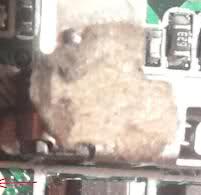
Is that something a battery might leak? Is there a battery underneath all that foamy substance? If so, then it's a good guess it's related to the problem.

--tim
 

sauroman1

Apr 3, 2012
34
Joined
Apr 3, 2012
Messages
34
No that is adhesive. I'm concerned about resistor that is strangely soldered. One end that I marked with red arrow has wire, but on other side there is no connector.
 

(*steve*)

¡sǝpodᴉʇuɐ ǝɥʇ ɹɐǝɥd
Moderator
Jan 21, 2010
25,510
Joined
Jan 21, 2010
Messages
25,510
That looks like a capacitor and I'd hazard a guess that they found they needed a cap to ground from that pin and managed to squeeze it in (and probably hand-soldered it too).

I would be looking at the power supply first and seeing why I get good rails (presumably) from USB but not from batteries. I'd move forward from there.

The LCD backlight is an obvious choice to check. If you point a torch at the display, can you see any image on it? Is there any glow from the screen (even if it's otherwise black) when power is applied (via USB)?
 

sauroman1

Apr 3, 2012
34
Joined
Apr 3, 2012
Messages
34
No, I do not get no image and no backlight. If screen cable 1-2 wires were somehow damaged would that be enought to make display completely inoperable?
How you separate resistor from capacitor? I fixed my monitor by just replacing leaked capacitors maybe they have to be checked. Do these capacitors often fail?
 

sauroman1

Apr 3, 2012
34
Joined
Apr 3, 2012
Messages
34
After examination of sensor board I found that one smd transistor is was breaked. I could replace it but problem is that I don't know model.
Nuotrauka0022.jpg
 

(*steve*)

¡sǝpodᴉʇuɐ ǝɥʇ ɹɐǝɥd
Moderator
Jan 21, 2010
25,510
Joined
Jan 21, 2010
Messages
25,510
That soldering looks awful. Looks like someone has attempted to "mod" the camcorder (badly).

Find a ground and measure the voltage to each of those pads. It may indicate what sort of device might be expected there
 

sauroman1

Apr 3, 2012
34
Joined
Apr 3, 2012
Messages
34
Transistor contact on the right side shows 2,8V. Other two show nothing.
 
Last edited:

(*steve*)

¡sǝpodᴉʇuɐ ǝɥʇ ɹɐǝɥd
Moderator
Jan 21, 2010
25,510
Joined
Jan 21, 2010
Messages
25,510
Is 3.8V also what you read from that same ground node to your battery?

Does the voltage on either of the other 2 pins change as you press the power on button?
 

(*steve*)

¡sǝpodᴉʇuɐ ǝɥʇ ɹɐǝɥd
Moderator
Jan 21, 2010
25,510
Joined
Jan 21, 2010
Messages
25,510
I would think that means the 3.8V one is the collector

I would think it's most likely a mosfet if this is the case.

The important things so determine are:

1) does the typical gate connection do something when you attempt to power the device on?

2) If so, is it a P or N channel device?

3) What voltage swing is seen

4) What package is it.
 

War_Spigot

Feb 20, 2012
43
Joined
Feb 20, 2012
Messages
43
I obviously can't answer 1,2, or 3, but it appears to be an SOT-23 to me.
 

sauroman1

Apr 3, 2012
34
Joined
Apr 3, 2012
Messages
34
Is 3.8V also what you read from that same ground node to your battery?

Does the voltage on either of the other 2 pins change as you press the power on button?

Sorry, my mistake I get not 3.8V but 2.8V. Yes, from usb ground connection
I get same readings when press power button - one shows 2.8V, others nothing.
 

War_Spigot

Feb 20, 2012
43
Joined
Feb 20, 2012
Messages
43
Maybe press all of the buttons, it's gotta change at come point. If it doesn't change when it powers on though, it may not be connected to your LCD problem
 

sauroman1

Apr 3, 2012
34
Joined
Apr 3, 2012
Messages
34
Only change I get in that one connection after pressing power button. So what mosfet I should use? Maybe I can find them in wasted plates
 

sauroman1

Apr 3, 2012
34
Joined
Apr 3, 2012
Messages
34
So can anybody help me to choose proper mosfet? Did I provide enought information?
 

(*steve*)

¡sǝpodᴉʇuɐ ǝɥʇ ɹɐǝɥd
Moderator
Jan 21, 2010
25,510
Joined
Jan 21, 2010
Messages
25,510
OK, look at this datasheet.

CHeck out the SOT-23 package.

Measure the voltage between what would be the D and S terminals.

Which one is positive?

(dangerous bit) try measuring the current across here. See if the screen lights up.
 

sauroman1

Apr 3, 2012
34
Joined
Apr 3, 2012
Messages
34
I get nothing from source but I do get readings from drain and gate - drain is negative.
 

(*steve*)

¡sǝpodᴉʇuɐ ǝɥʇ ɹɐǝɥd
Moderator
Jan 21, 2010
25,510
Joined
Jan 21, 2010
Messages
25,510
Then it's not a mosfet that goes there
 
Top