attachments

leonel

Jan 19, 2013
28
Joined
Jan 19, 2013
Messages
28
Yeah, this is just a resizing tool which integrates with the windows file manager. You just right click and say resize, then follow a simple dialog.

If you don;t need anything else, it's very simple.

I have irfanview too, but I use it for generating slideshows and other stuff. I don't think it has the integration with the context menu that this tool has.

Sorry for the delay getting back to you.

OK Steve;

I trust you are a patient man for it has been suggested between you and Dave that I use the program you suggested to down size some picture files I have. I want to send them to whom ever is willing to help me with a problem I am having with a model railroad power pack I built some 30 years ago and now I am having trouble with it.

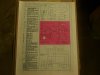
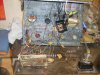
This is the original article that explains the operation and instructions on how to build this power pack. Once I get them sent I will take a picture of the modifications I did to the enclosier in order for one to see the modification I had made which I hope will help in diagnosing and fixing the problem with it.(WOW I haven't written so much in a coons age)

So when you find the time and with me putting up with some interuptions here at home; I hope we could finally get into diagnosing this problem.

Thank you;

Leo (leonel)
 

leonel

Jan 19, 2013
28
Joined
Jan 19, 2013
Messages
28
Yeah, this is just a resizing tool which integrates with the windows file manager. You just right click and say resize, then follow a simple dialog.

If you don;t need anything else, it's very simple.

I have irfanview too, but I use it for generating slideshows and other stuff. I don't think it has the integration with the context menu that this tool has.

Sorry for the delay getting back to you.

OK Steve since I only need a resizing program everyone suggests I continue with the resizing program you suggest.. I have already downloaded it and was just wondering if it is a freeby. If not I am afraid I will have to use Irfanview. Sorry for being a pain. Please advise me.
 

(*steve*)

¡sǝpodᴉʇuɐ ǝɥʇ ɹɐǝɥd
Moderator
Jan 21, 2010
25,510
Joined
Jan 21, 2010
Messages
25,510
That program is free. Resize some images and use the attach option (in the advanced message editor).

You get to the advanced editor by pressing the "go advanced" button and the attachment tool is the one that looks like a paperclip.

Use the browse button(s) to select each of your resized images, then use the upload button in the same box as the browse buttons to send the image(s) to the forum. Then finish your message and hit submit reply.
 

leonel

Jan 19, 2013
28
Joined
Jan 19, 2013
Messages
28
hi again Steve;

I have been playing with the resizing of my photo and I haven't had any luck as of yet. I am trying to think of someone I know that might have the know with all. Everything I have tried eather resizes too big or it isn't readable. I will keep trying though until I eather get it or find out that it just isn't possible. I am sure something is out there.

Leo :confused:
 

(*steve*)

¡sǝpodᴉʇuɐ ǝɥʇ ɹɐǝɥd
Moderator
Jan 21, 2010
25,510
Joined
Jan 21, 2010
Messages
25,510
Let's just keep going in that other thread until you get your scanner working right and then we can continue here.
 

(*steve*)

¡sǝpodᴉʇuɐ ǝɥʇ ɹɐǝɥd
Moderator
Jan 21, 2010
25,510
Joined
Jan 21, 2010
Messages
25,510
Excellent! That's a jpg.

Now you need to make it a little larger. If you're resizing it to make it smaller, resize to 400x400, if you're scanning it this size, increase the resolution by a factor of about 3 times.
 

leonel

Jan 19, 2013
28
Joined
Jan 19, 2013
Messages
28
again
Hi Steve;

I took pictures with my digital camera and now I will take them over holding the camera the normal way.

talk to you in a while;

Leo
 

Attachments

  • S6000005.jpg
    S6000005.jpg
    144.8 KB · Views: 88

leonel

Jan 19, 2013
28
Joined
Jan 19, 2013
Messages
28
Here they are Steve. The best I could at the present time.

I hope this worked!

Leo

(PS) Many Many Many deserved thanks
 

Attachments

  • S6000002-001.jpg
    S6000002-001.jpg
    136.6 KB · Views: 107
  • S6000003-001.jpg
    S6000003-001.jpg
    149.8 KB · Views: 94
  • S6000008-001.jpg
    S6000008-001.jpg
    148 KB · Views: 95
  • S6000015-001.jpg
    S6000015-001.jpg
    136.8 KB · Views: 99
  • S6000002.jpg
    S6000002.jpg
    147.1 KB · Views: 100
  • S6000001.jpg
    S6000001.jpg
    152.8 KB · Views: 102
Last edited:

(*steve*)

¡sǝpodᴉʇuɐ ǝɥʇ ɹɐǝɥd
Moderator
Jan 21, 2010
25,510
Joined
Jan 21, 2010
Messages
25,510
Excellent, that works a treat!
 

leonel

Jan 19, 2013
28
Joined
Jan 19, 2013
Messages
28
Ok Steve and Dave, to whom do I explane my problem to?? It is too late for me to get into that tonight--maybe tomorrow or Friday.

Thanks again;

Leo
 
Top