Martaine2005
- May 12, 2015
- 5,314
- Joined
- May 12, 2015
- Messages
- 5,314
Code:
// these libraries must be installed prior to uploading
// includes
#include "SoftwareSerial.h"
#include "DFRobotDFPlayerMini.h"
#include <Adafruit_NeoPixel.h>

#ifdef __AVR__
#include <avr/power.h>
#endif

// set number of pixels in strip
int numPix = 16;
// set pin to control neopixels
int neoPin = 4;
// set initial brightness 0-255
int brightness = 255;

// create led object
Adafruit_NeoPixel ledStrip = Adafruit_NeoPixel(numPix, neoPin, NEO_GRBW + NEO_KHZ800);

// assign pins to TX and RX for player
static const uint8_t PIN_MP3_TX = 2;
static const uint8_t PIN_MP3_RX = 3;
SoftwareSerial softwareSerial(PIN_MP3_RX, PIN_MP3_TX);

// create the player object
DFRobotDFPlayerMini myPlayer;

void setup() {
  // initialize neopixels
  ledStrip.begin();
  ledStrip.setBrightness(brightness);
  ledStrip.show();

  // initialize serial port for output
  Serial.begin(9600);
  // initialize player serial port
  softwareSerial.begin(9600);

  // connect to player - print result
  if (myPlayer.begin(softwareSerial)) {
    Serial.println("Connection successful.");
    // set initial volume 0-30
    myPlayer.volume(30);
  } else {
    Serial.println("Connection failed.");
  }
}

void loop() {
  // volume defines both the led brightness and delay after flash
  int volMin = 15;
  int volMax = 31;
  int randomVol = random(volMin, volMax);

  // upper value should be one more than total tracks
  int randomTrack = random(1, 9);

  // lightning variables
  // use rgbw neopixel adjust the following values to tweak lightning base color
  int r = random(40, 80);
  int g = random(10, 25);
  int b = random(0, 10);
  // return 32 bit color
  uint32_t color = ledStrip.Color(r, g, b, 50);
  // number of flashes
  int flashCount = random (5, 15);
  // flash white brightness range - 0-255
  int flashBrightnessMin =  10;
  int flashBrightnessMax =  255;
  // flash duration range - ms
  int flashDurationMin = 5;
  int flashDurationMax = 75;
  // flash off range - ms
  int flashOffsetMin = 0;
  int flashOffsetMax = 75;
  // time to next flash range - ms
  int nextFlashDelayMin = 1;
  int nextFlashDelayMax = 50;
  // map white value to volume - louder is brighter
  int flashBrightness = map(randomVol, volMin, volMax, flashBrightnessMin, flashBrightnessMax);

  // map flash to thunder delay - invert mapping
  int thunderDelay = map(randomVol,  volMin, volMax, 1000, 250);

  // randomize pause between strikes
  // longests track length - ms
  int longestTrack = 18000;
  // intensity - closer to longestTrack is more intense
  int stormIntensity = 30000;
  long strikeDelay = random(longestTrack, stormIntensity);

  // debug serial print
  Serial.println("FLASH");
  Serial.print("Track: ");
  Serial.println(randomTrack);
  Serial.print("Volume: ");
  Serial.println(randomVol);
  Serial.print("Brightness: ");
  Serial.println(flashBrightness);
  Serial.print("Thunder delay: ");
  Serial.println(thunderDelay);
  Serial.print("Strike delay: ");
  Serial.println(strikeDelay);
  Serial.print("-");

  for (int flash = 0 ; flash <= flashCount; flash += 1) {
    // add variety to color
    int colorV = random(0, 50);
    if (colorV < 0) colorV = 0;
    // flash segments of neopixel strip
    color = ledStrip.Color(r + colorV, g + colorV, b + colorV, flashBrightness);
    ledStrip.fill(color, 0, 4);
    ledStrip.show();
    delay(random(flashOffsetMin, flashOffsetMax));
    ledStrip.fill(color, 8, 4);
    ledStrip.show();
    delay(random(flashOffsetMin, flashOffsetMax));
    ledStrip.fill(color, 4, 4);
    ledStrip.show();
    delay(random(flashOffsetMin, flashOffsetMax));
    ledStrip.fill(color, 9, 14);
    ledStrip.show();
    delay (random(flashDurationMin, flashDurationMax));
    ledStrip.clear();
    ledStrip.show();
    delay (random(nextFlashDelayMin, nextFlashDelayMax));
  }
  // pause between flash and thunder
  delay (thunderDelay);

  // trigger audio - randomize volume and track
  myPlayer.volume(randomVol);
  myPlayer.play(randomTrack);

  delay(strikeDelay);
}
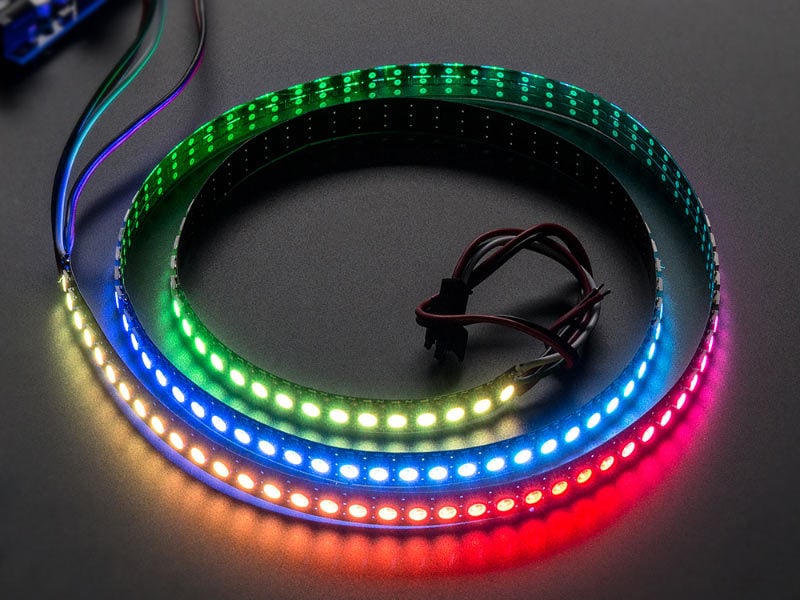
I’m having problems with illuminating more than 31 addressable LEDs.
The above code has numPix=16.
I have changed it to 4 and 8 with no problems. 16 to 24 without issues too. But it’s stuck at 31. I can parallel more strips and even two 8x8 matrix with only 31 illuminating on each.
At first, I thought it was my power supply 9V 1.5A.
So tried another external power supply for the LEDs 5V 6A. Same problem. I then injected voltage at the last strip to no avail.
I’m not sure what is causing this issue.
Any help would be appreciated.
PS, I am using arduino nano clone.