My computer is slowing down!!

K

Kasamiko

Jan 1, 1970
0
Hi m8,
I've noticed that my computer is slowing down, before my boot up takes only a minute now it takes almost forever!!
I do a full system scan for virus, run AD-Aware and other adware remover, defrag all drives, uninstall unneccesary programs but to no avail..
What else should I do??

Rhonn ;) ;)


Dazza

Jun 21, 2004
591
Joined
Jun 21, 2004
Messages
591
Buy a bigger hammer ;D. Well that's what I feel like doing, to my machine sometimes. If you have Windows XP and have recently installed new software, try restoring your machine to an earlier point, or even if you haven't installed new software.


surajbarkale

Aug 5, 2004
256
Joined
Aug 5, 2004
Messages
256
Don't use XP restore. It is better to turn it off. If you have ever cleaned the system clean of a virus & then performed system restore to patch things up, it will unleash the virus again. No antivirus can look into the files catched by the System Restore feature. & it really messes up your system. If you are running windows XP try clearing all files in %WINDOWS%\Prefetch directory. (this may be a hidden directory). your computer will gardually speed up :)

 
K

Kasamiko

Jan 1, 1970
0
Can't find that prefetch folder ???. I've turned all attributes to visible but still can't find it..
my windows is in "D:\Windows"

Rhonn ;) ;)


steven2

Jan 19, 2004
1,698
Joined
Jan 19, 2004
Messages
1,698
:)kasamiko download stinger.exe and use it to scan for viruses and trogens, before you do any system restore, if you do. ad ware gets rid of spy ware stuff stinger scans and deletes files damaged by the viruses, this will help. if your runing windows xp. and your computer keeps shutting down, or saying shut down initiated by nt authority system. it would be the w32 blatser worm , you can download the free w32 blaster worm removal tool, but if you dont have that problem then its ok,

 
K

Kasamiko

Jan 1, 1970
0
Steven I may sounds wierd but believe me I do a full scan with PCCillin, AVG and NAV 2004!! Yes 3 of them ;D but found no infections.
I also run AD-Aware, Spy-Bot & Spyware killer..still negative.
I noticed even the time that I don't have an interner yet, installing and uninstalling softwares eventually will slow down your system..
Maybe those software leaves come traces or files which makes booting slow.

rhonn ;) ;)


surajbarkale

Aug 5, 2004
256
Joined
Aug 5, 2004
Messages
256
Are you using WindowsXP? If yes then you should find the folder at D:\Windpws\Prefetch . On my machine it is not hidden. Clear it when you do major changes to your system (like install/uninstall spree:)). This folder is used by windows to preload the programs you use on your PC. However windows dose not clears a program entry when you remove it.
Doing this will not immidiately speed up your PC but in a day or two it should get faster. If this fails then reinstalling windows is the definate answer. Personally i reinstall windows atleast every 6 months because it seems to me that it just gets slower longer you tweak with it. Also check out http://www.x-setup.net/ use this software carefully or you might fry your windows ;)

 
K

Kasamiko

Jan 1, 1970
0
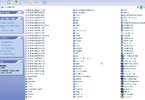
Yes, i'm using WinXP Pro..but can't find it!! :( see the screen capture.
When you say Reinstall windows you mean just install a fresh copy of windows, you dont reformat the entire drive?

Windows_DIR.jpg


surajbarkale

Aug 5, 2004
256
Joined
Aug 5, 2004
Messages
256
This is strange indeed ??? Anyway I was talking of formatting the drive clean & doing a fresh install. I know it's painful but most of the times i have no choice ;D I keep my data on saperate partitions so it is of no problem for me. Try using the Xsetup software from http://www.x-setup.net/ it offers more options than any other software & it is free too (though it is named pro).


steven2

Jan 19, 2004
1,698
Joined
Jan 19, 2004
Messages
1,698
:)kasamiko its not a good idea to re install windows over the top of what you got, reformatting it all is the best option but if you have a spare d drive you can transfer all your good stuff onto it then reformatt your whole c drive, then after that you transfer it back to your c drive from the spare drive or slave drive.


Dido

Aug 24, 2004
72
Joined
Aug 24, 2004
Messages
72
Try to make a full repair (not reinstall) just repair that`s what I usually do. Windows XP is rubbish all stuff which iz made by Microsoft iz junk

 
K

Kasamiko

Jan 1, 1970
0
Hi Ante,
The only programs running in my system tray is PCCillin,Spy Sweeper and Volume control. My running proccesses are all the same eversince I installed my XP. But my registry is going FAT!! ???

rhonn ;) ;)

 
1

12412

Jan 1, 1970
0
i run tons of programs on my task bar and it go's sssssslow

 
K

Kasamiko

Jan 1, 1970
0
I'm sure those leftover by some software that i installed. Can you recommend a good registry cleaners? I'm using system mechanic and registry first aid but can't get raid of those leftover..

Rhonn ;) ;)


ante1

Jan 24, 2004
4,138
Joined
Jan 24, 2004
Messages
4,138
Rhonn,

I use Norton System Works and it has not failed me yet!
But i run W2kP so I don't know how it will perform with XP.


trigger

Aug 7, 2004
236
Joined
Aug 7, 2004
Messages
236
The final solution of windows trouble is to format and reinstall it.....

 
Top