scroll message on an LCD...

vead

Nov 27, 2011
473
Joined
Nov 27, 2011
Messages
473
Hello ,
I am making small project on software
Microcontroller 8051
language assembly
assembler- 8051 IDE
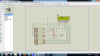
upload_2015-3-1_23-39-57.png

source code
Code:
ORG 0H
MOV A,#38H       ; command
ACALL COMNWRT    ;call command
ACALL DELAY       ;give LCD some time
MOV A,#0EH        ;display on, cursor on
ACALL COMNWRT     ;call command
MOV A,#01          ;clear LCD
ACALL COMNWRT       ;call command
ACALL DELAY       ;give LCD some time
MOV A,#06H        ;shift cursor right
ACALL COMNWRT    ;call command subroutine
ACALL DELAY       ;give LCD some time
MOV A,#84H        
ACALL COMNWRT ;call command
ACALL DELAY ;give LCD some time
MOV A,#'V' ;display letter J
ACALL DATAWRT ;call display
ACALL DELAY ;give LCD some time
MOV A,#'E' ;display letter J
ACALL DATAWRT ;call display
ACALL DELAY ;give LCD some time
MOV A,#'A' ;display letter J
ACALL DATAWRT ;call display
ACALL DELAY ;give LCD some time
MOV A,#'D' ;display letter D
ACALL DATAWRT ;call display
AGAIN: SJMP AGAIN ;stay here
COMNWRT: ;send command to LCD
MOV P1,A ;copy reg A to port 1
CLR P2.0 ;RS=0 for command
CLR P2.1 ;R/W=0 for write
SETB P2.2 ;E=1 for high pulse
ACALL DELAY ;give LCD some time
CLR P2.2 ;E=0 for H-to-L pulse
RET
DATAWRT: ;write data to LCD
MOV P1,A ;copy reg A to port 1
SETB P2.0 ;RS=1 for data
CLR P2.1 ;R/W=0 for write
SETB P2.2 ;E=1 for high pulse
ACALL DELAY ;give LCD some time
CLR P2.2
RET
DELAY: MOV R3,#50
HERE2: MOV R4,#255
HERE: DJNZ R4,HERE
DJNZ R3,HERE2
RET
END
can someone tell me why message are not scrolling continuously on LCD ?
 

Harald Kapp

Moderator
Moderator
Nov 17, 2011
14,271
Joined
Nov 17, 2011
Messages
14,271
Why should it scroll?
As far as I can see you do nothing to make the text scroll. You write "VEAD" to the LCD at a single position and then stay in the idle loop "AGAIN". To make the text scroll you need to write the text to different positions or use a built-in scroll routine of the LCD, provided it has such a routine (which I doubt).
 

vead

Nov 27, 2011
473
Joined
Nov 27, 2011
Messages
473
. To make the text scroll you need to write the text to different positions or use a built-in scroll routine of the LCD, provided it has such a routine (which I doubt).

could you please explain with small example ?
 

Harald Kapp

Moderator
Moderator
Nov 17, 2011
14,271
Joined
Nov 17, 2011
Messages
14,271
1 Set cursor to position 1 (leftmost)
2 write "VEAD"
3 Set cursor to position 2 (left+1)
4 write "VEAD"
5 Set cursor to position 1
6 Write " " // to erase the "V" from line 2
7 set cursor to position 3 (left+2)
8 write "VEAD"
9 Set cursor to position 2
10 Write " " // to erase the "V" from line 4
etc.

Alternatively:
1 set cursor to position 1
2 write "VEAD"
3 set cursor to position 1
4 write " VEAD" //one space before V
5 set cursor to position 1
6 write " VEAD" //two spaces before V
etc.
 

(*steve*)

¡sǝpodᴉʇuɐ ǝɥʇ ɹɐǝɥd
Moderator
Jan 21, 2010
25,510
Joined
Jan 21, 2010
Messages
25,510
Clear display
write --------VEAD
pause
clear display
write -------VEAD
pause
clear display
write ------VEAD
pause
clear display
write -----VEAD
pause
clear display
write ----VEAD
pause
clear display
write ---VEAD
pause
clear display
write --VEAD
pause
clear display
write -VEAD
pause
clear display
write VEAD
pause
clear display
write EAD--------V
pause
clear display
write AD--------VE
pause
clear display
write EAD--------V
pause
go back to start
 

vead

Nov 27, 2011
473
Joined
Nov 27, 2011
Messages
473
I Did some google search. I looked some tutorial. I have divided code into subsection. I don't understand which section is wrong
LCD command
Code:
ORG 0H
MOV A,#38H       ; command
ACALL COMMAND  ;call command
ACALL DELAY       ;give LCD some time
MOV A,#0EH        ;display on, cursor on
ACALL COMMAND     ;call command
MOV A,#01          ;clear LCD
ACALL COMMAND       ;call command
ACALL DELAY       ;give LCD some time
MOV A,#06H        ;shift cursor right
ACALL COMMAND    ;call command subroutine
ACALL DELAY       ;give LCD some time
MOV A,#84H       
ACALL COMMAND ;call command
ACALL DELAY ;give LCD some time
DATA Display
Code:
MOV A,#'V' ;display letter J
ACALL DATA ;call display
ACALL DELAY ;give LCD some time
MOV A,#'E' ;display letter J
ACALL DATA ;call display
ACALL DELAY ;give LCD some time
MOV A,#'A' ;display letter J
ACALL DATA ;call display
ACALL DELAY ;give LCD some time
MOV A,#'D' ;display letter D
ACALL DATA ;call display

Code:
COMMAND: ;send command to LCD
MOV P1,A ;copy reg A to port 1
CLR P2.0 ;RS=0 for command
CLR P2.1 ;R/W=0 for write
SETB P2.2 ;E=1 for high pulse
ACALL DELAY ;give LCD some time
CLR P2.2 ;E=0 for H-to-L pulse
RET

Code:
DATA: ;write data to LCD
MOV P1,A ;copy reg A to port 1
SETB P2.0 ;RS=1 for data
CLR P2.1 ;R/W=0 for write
SETB P2.2 ;E=1 for high pulse
ACALL DELAY ;give LCD some time
CLR P2.2
RET

Code:
DELAY: MOV R3,#50
HERE2: MOV R4,#255
HERE: DJNZ R4,HERE
DJNZ R3,HERE2
RET
END
 

(*steve*)

¡sǝpodᴉʇuɐ ǝɥʇ ɹɐǝɥd
Moderator
Jan 21, 2010
25,510
Joined
Jan 21, 2010
Messages
25,510
Now it's worse. It runs off the end of the program into the subroutines.

Do you have a loop anywhere?
 

vead

Nov 27, 2011
473
Joined
Nov 27, 2011
Messages
473
Now it's worse. It runs off the end of the program into the subroutines.

Do you have a loop anywhere?
NO ,I did google search for assembly loop we can create loop using some assembly Instruction(jmp, djnz....) I think I need infinite loop
I am explaining example of loop
loop :
MOV R1 #54h
DJNZ R1
SJMP loop
 

(*steve*)

¡sǝpodᴉʇuɐ ǝɥʇ ɹɐǝɥd
Moderator
Jan 21, 2010
25,510
Joined
Jan 21, 2010
Messages
25,510
Do you know why you need a loop?
 

(*steve*)

¡sǝpodᴉʇuɐ ǝɥʇ ɹɐǝɥd
Moderator
Jan 21, 2010
25,510
Joined
Jan 21, 2010
Messages
25,510
No. You don't need to display a message continuously, you need to continuously update or change the displayed message.
 

gorgon

Jun 6, 2011
603
Joined
Jun 6, 2011
Messages
603
It's generally faster to write a space at the beginning or end of the scrolling text, than clearing the whole display. That normally takes several ms, and there will be a blink in the display. When writing characters, and space, the change is smooth. Or as smooth as the programmer can manage to do it.

This is of course dependent on the text displayed. If it fills the display line complete there is no need for adding spaces, since you replace the whole line every time.

Some of the display controllers have a scrolling function in built, by manipulating the start address of the display RAM in the display.
 
Top