Designing a Time Delayed Relay

KrisBlueNZ

Sadly passed away in 2015
Nov 28, 2011
8,393
Joined
Nov 28, 2011
Messages
8,393
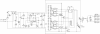
1. Corrections as marked to bridge rectifier connections
2. Suggest not using "humps" to indicate crossing wires with no connection
3. You sneaked in a substitution - Q1 from TIP29B/C to TIP31C. That's fine.
4. That image is barely readable, and it's in JPG format, which is designed for continuous-tone images (photographs, basically). You should use GIF or PNG for line drawings. This will make them cleaner and smaller size than JPG. (Not in the case of the image in this post, because I was working from a JPG file.)
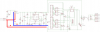
schematic2_zpsa1d71cab.png
 

chopnhack

Apr 28, 2014
1,576
Joined
Apr 28, 2014
Messages
1,576
Thanks Kris! I guess I over thought the bridge connections. When I was trying to figure out the connections, I really should have resolved the original schematic to the 4 points, AC L1, L2 and Pos, Neg - instead of the way I did it. As soon as I saw your revision, I understood that it was simple as that... :oops:

No humps, got it!

The substitution was an omission on my part, I was reusing an existing package in Eagle, its a bear to draw things in that program! It's fixed, good catch.

I saved the file in .PNG originally but it was so poor I tried a different format. Fixed!! The problem was that saving in color left it too washed out, the monochrome is sharper!!

J1 is a jumper that attaches the LED since its going to be located on the face plate of the box.

upload_2014-8-3_8-44-36.png
 
Last edited:

KrisBlueNZ

Sadly passed away in 2015
Nov 28, 2011
8,393
Joined
Nov 28, 2011
Messages
8,393
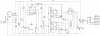
That's looking good! Now I can see it properly!

R3 should be 220R not 220k
R1 and R14 should be marked "fusible"
C1 and C14 should be marked "X2" - this is a special requirement
You should probably indicate the capacitor types for various other capacitors. When I've marked them on my schematic, it's not just for fun; it's because that's an important characteristic.
You should indicate the full part number for L1, or at least mention 500 mA saturation current - inductance is not the only important specification
There's a bogus "GND" marking on top of the wire from U1 pin 5
U1 is named U$1 and doesn't have a suffix, U2 and U3 are named U$4 and U$5 (or is it U$2 and U$3?) and don't have part numbers, and U4 is named IC1 and doesn't have a part number.
The first junction up from C11 is four wires joining at one point. This is not recommended because the presence or absence of the dot gives a different meaning. It used to be an issue when photocopying was used, and dots could appear or disappear or become indistinct. You could argue that it's not important now, but you can't be sure. Dots like that "look wrong" to any EE over about 30~35 years old, I'd say.
Personally I would not draw the left part of the circuit at a low height, then the right part at a greater height. It's part of my dislike for unnecessary zigs and zags in wires, especially the 0V rail. I would expand the whole thing to the greatest height required. If you use 6-pin connectors instead of 8-pin for the Allegro chips, that will help.
I would label the major rails - +48V, +5V and 0V. The 0V rail is not GND. There is no ground connection in that circuit.
The two parallel vertical lines at the right hand end of the +5V rail look a bit funny. Just cosmetic of course, but I'm fussy :)
 

chopnhack

Apr 28, 2014
1,576
Joined
Apr 28, 2014
Messages
1,576
Ok, draftsman, I am not! LOL, thank you for the information - Eagle is not the easiest program to work with, but most of the corrections are of my sloppy work so I take credit for that myself ;-)

I have fixed most if not all of the above, to make it more readable. I omitted the data initially for clarity of the schematic, the values and specifics of such were used in generating the schematic. The BOM was made first, checked to make sure the correct items were selected, a few changes were made for package size and availability, etc. (BTW - thanks for the catch on that R3!!) From there, the packages and devices were created in Eagle, that is why there were some artifacts left behind, like the bogus GND. You will be proud to know that I actually know that there is no true ground in this circuit! The entire loop is floating to ground, with 0V being the circuits low side of potential just like the lower loop of the schematic (I assume now!) is the neutral side of the mains.

If you think it's correct, I will go ahead and start on the layout. If I run into trouble, I will come back and change the 8 pins to 6 pins as you have suggested. I would like to keep those 8 pins if possible since there will be quite some current flowing through that portion of the circuit.

Check your last schematic, I think CN3 is used twice, once for current 2 and then again at the relay.
upload_2014-8-3_12-56-12.png
 

KrisBlueNZ

Sadly passed away in 2015
Nov 28, 2011
8,393
Joined
Nov 28, 2011
Messages
8,393
That's looking pretty good.

You haven't corrected the R3 value.

I understand why you didn't include all the important information on the schematic. I always use the schematic as the basic design document, but if you have an integrated system that stores the BOM separately, then I guess it's not so important to mark the full information on the schematic.

I should have mentioned this before: the capacitors near the Allegro chips are touching each other on the schematic.

Nice work!
 

chopnhack

Apr 28, 2014
1,576
Joined
Apr 28, 2014
Messages
1,576
I figured if I had a BOM first, I could use it as a ways of checking against the schematic looking for discrepancies. Later it helped me as a check list when I was looking for the physical sizes to ensure that I was using the correct models in Eagle for the board layout! I will start later tonight with layout, thanks!
 

chopnhack

Apr 28, 2014
1,576
Joined
Apr 28, 2014
Messages
1,576
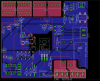
I have an initial layout, but it looks pretty rough... The good news is that two 8 pin headers will fit!
 

chopnhack

Apr 28, 2014
1,576
Joined
Apr 28, 2014
Messages
1,576
A lot to be desired, but at least with so many common 0V connections, the board can make use of a "ground" plane.
upload_2014-8-8_0-36-36.png
 

KrisBlueNZ

Sadly passed away in 2015
Nov 28, 2011
8,393
Joined
Nov 28, 2011
Messages
8,393
OK, here are my initial thoughts. These points correspond to these markings on the diagram.

epoint 268425 upload_2014-8-8_0-36-36 annotated.png

1. The highlighted tracks are at mains voltage relative to the rest of the board so you need to have clearances between the tracks (and all connected component pins) and any adjacent copper and component pins. I would move R1 somewhere else so the tracks can be more direct.

2. I don't know what the dotted line on the top copper is for. I don't like it!

3. The highlighted tracks and components connected to them are at mains voltage. Same as item 1.

4. I think you've numbered the pins wrong on the Allegro chips. If pin 1 is at the top right, then the pins along the bottom are 5, 6, 7, 8 from left to right. Also I don't see a connection to 0V.

5. Q1's heatsink will get better airflow if you rotate it 90 degrees. As it is, airflow will be blocked by the connectors. Also you should show the outline of the heatsink, and I would put copper fills on both sides of the board as well - as large as possible.


Also, generally, it's not good to have large cuts in the ground plane. Actually it's only an issue in practice for high-speed circuitry, but it's still nice to avoid them. There are many that could be avoided by moving tracks to the top side (or lengthening the part of the track that's already on the top side).

There are some large unused areas on that board. You could make the board significantly smaller if you wanted to, and could spend the time required.

There are places where components are poorly placed - Q2 and its associated resistor and diode are obvious examples. They would be better placed south of Q1.

Do you need mounting holes?

That's a start. See how you go. Good luck!
 

chopnhack

Apr 28, 2014
1,576
Joined
Apr 28, 2014
Messages
1,576
Thanks Kris, the board was a very rough draft, I was throwing things together to see what space constraints we had to work with. I remember point 1 about the high voltage being isolated, thank you for the reminder and the layout tips! As you see I will need them :)

The dotted line is actually just the outline of the polygon for the top layer, it was too hard to see everything clearly when it was filled - I was using 0V rail for the fill on both top and bottom. I think the center ended up getting bisected enough times by the traces that the center ended up with no fill.

Great catch on the pin layout of the allegro's, it didn't make sense to me at first when I looked at the board layout, then I realized where the mistake was - way back in the device creation, on the symbol layer.... I'm getting more familiar with Eagle! I'll keep at it ;)
 

chopnhack

Apr 28, 2014
1,576
Joined
Apr 28, 2014
Messages
1,576
No real progress yet, I received some small parts in the mail and they have kept me preoccupied (actively toying with them :D). Never owned a breadboard before!

Kris, what is the purpose of Q1? When the base of the BJT has potential across it, the gate opens and there is flow from the collector to the emitter (finally learned that bit!). But what is the purpose of that gate?

My best guess is that the gate only opens when the source voltage hits +47V.
 

KrisBlueNZ

Sadly passed away in 2015
Nov 28, 2011
8,393
Joined
Nov 28, 2011
Messages
8,393
Yes, that's right. The circuit is called an "active zener".

The zener diode begins to conduct significant current when the voltage across it reaches its rated voltage. This current causes a voltage drop across the 220Ω base-emitter resistor. When this voltage drop reaches about 0.7V, the transistor begins to conduct current in its collector-emitter path. This makes the circuit clamp the voltage on the +48V rail to around 48V.

If the voltage on that rail tries to increase, the zener conducts harder, and the base voltage and base current increase. The transistor conducts harder and pulls the 48V rail down, opposing the increase. If the voltage on that rail decreases, the zener current and the transistor's base current decrease. The transistor conducts less and loads the rail less, allowing its voltage to increase. This is how a simple zener regulator works too, but with the active zener circuit, the zener diode is not forced to dissipate all of the power.

The transistor's collector current is higher than its base current by a factor called the forward current gain, hFE aka beta. This figure is typically around 50~100 for medium-power power transistors like the TIP29 or TIP31. This means that almost all of the current flows through the transistor, not the zener. The zener is just a control device. The transistor is where the power is dissipated.
 

chopnhack

Apr 28, 2014
1,576
Joined
Apr 28, 2014
Messages
1,576
I know its been awhile since I last posted about this, but I have had lots of fun distractions ;-)
I have restarted the layout, spent the last 6 hours trying to rearrange components to get a tighter fit... drudgery

Questions! LOL

1. Why is PIC pin 2 tied to neutral on AC side?

2. How would one solder the connection under the relays to complete the top side connection (red K1 post #148) - Would you rely on solder wicking from the bottom or would you space the relay higher on the board and try to work a needle tip in?

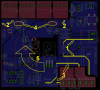
Here is the rough draft that I have been working on. I am still trying to find a way to better organize the associated components that go around the switcher (U1). I ended up using some surface mount caps for size savings, but it seems its complicating placement.

This will be oriented one 90 degree turn counterclockwise so that the the TIP is facing up.

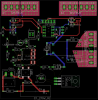
upload_2014-9-23_13-54-21.png
 

KrisBlueNZ

Sadly passed away in 2015
Nov 28, 2011
8,393
Joined
Nov 28, 2011
Messages
8,393
1. Why is PIC pin 2 tied to neutral on AC side?
It's not "tied to" it; it's fed from it. That's to get the 50/60 Hz time base for measuring the turn-off time.
2. How would one solder the connection under the relays to complete the top side connection (red K1 post #148) - Would you rely on solder wicking from the bottom or would you space the relay higher on the board and try to work a needle tip in?
You definitely wouldn't try to stick the soldering iron between the relay and the board on the top side, but you could raise the relay slightly off the board so you'll get a bit of a pool of solder on the top side when you solder the relay in with the board upside-down. As long as there's plenty of heat, and plenty of solder, the solder will travel down the through-hole plating and come out the other side, where it will form a pool connecting the pin to the top side copper. That's good.
Here is the rough draft that I have been working on. I am still trying to find a way to better organize the associated components that go around the switcher (U1). I ended up using some surface mount caps for size savings, but it seems its complicating placement.
Yes, that happens :-/ Have you looked at the suggested layout in the data sheet?

The parts you've done look good!
 

chopnhack

Apr 28, 2014
1,576
Joined
Apr 28, 2014
Messages
1,576
It's not "tied to" it; it's fed from it. That's to get the 50/60 Hz time base for measuring the turn-off time.

You definitely wouldn't try to stick the soldering iron between the relay and the board on the top side, but you could raise the relay slightly off the board so you'll get a bit of a pool of solder on the top side when you solder the relay in with the board upside-down. As long as there's plenty of heat, and plenty of solder, the solder will travel down the through-hole plating and come out the other side, where it will form a pool connecting the pin to the top side copper. That's good.

Yes, that happens :-/ Have you looked at the suggested layout in the data sheet?

The parts you've done look good!

Thanks, learning from the best on the web ;-)

Yes, I did look at the data sheet for U1. I will place the decoupling caps, etc. more appropriately.
I had a thought that I have been playing with over the last 1/2 hour with regard to orientation. I thought that if the layout on paper is so nice and organized with little crossover, why not translate that over to the physical board? I will post the results shortly. I did have to swap the pin arrangement on several of the connectors to facilitate placement. When its all said and done, I will need you to check to make sure I didn't completely botch it!
 

KrisBlueNZ

Sadly passed away in 2015
Nov 28, 2011
8,393
Joined
Nov 28, 2011
Messages
8,393
I wish LOL but thanks :)

One reason for going with the data sheet layout vs. the tidy-looking schematic would be that some components need to be physically close to the device - mainly the input and output capacitors, I think - and this may not be shown on the schematic. But post your layout and I'll have a look at it.
 

chopnhack

Apr 28, 2014
1,576
Joined
Apr 28, 2014
Messages
1,576
I wish LOL but thanks :)

One reason for going with the data sheet layout vs. the tidy-looking schematic would be that some components need to be physically close to the device - mainly the input and output capacitors, I think - and this may not be shown on the schematic. But post your layout and I'll have a look at it.

The dotted line is for a ground plane - It was hard to see everything with the solid pour in place. I kept the ground plane well away from the other polygon fills.

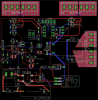
Just noticed something, R11 is between the AC signal input to pin 2 seems to share a via that is also a ground point. I know in the schematic that they are eventually connected, but I found this odd. Is this electrically ok or will there be noise introduced into the ground plane this way?

upload_2014-9-23_15-42-4.png
 
Last edited:

KrisBlueNZ

Sadly passed away in 2015
Nov 28, 2011
8,393
Joined
Nov 28, 2011
Messages
8,393
It's hard to be sure, but I think the track that runs northwards from R11 is connected to a via with tracks that run off to C3 and R9. That's definitely wrong - it should only go to C13 an pin 2 of the PIC.

That track should not connect to the groundplane either. I can't see whether it does or not.

Personally I would keep that track away from the TPS54062 (U1). Not because it will cause any problems, but because it's not related to the regulator. I would run it eastwards, so it runs past C5 on the south of C5.

In the regulator section:

The south end of R4 overlaps a via. It looks like the via isn't needed. In practice if you got that manufactured, the drill bit would break when it tried to drill the second hole.

It looks like the top side track from U1 pin 7 to C3 is shorting onto the tracks from pins 5 and 6. You could take it west instead of east and bring it out parallel to the track from pin 2. Also the track from R7 north to C6 west crosses the track from U1 pin 5 to R8 south.

C3 should be as close as possible to U1. You could actually put it north of U1 if you move C4 further north. Also I would make the tracks from C3 to U1 as thick as possible. Obviously you can't widen the pads on U1, but other parts of the tracks could be wider. I'm not sure if the extra work is justified. It's just what I would do personally.

The connection from U1 pin 8 to L1 can be on the top side and you can rotate L1 clockwise by 90 or 180 degrees.

There's a lot of unused space around R7, R8 and R9 that can be avoided if you put them all side-by-side. Through-hole resistors up to 1/3W can be placed at 0.1" pitch. I think those resistors would work better running east-west.

C5 and C6 could be moved together. If the pads are wider than the parts, as it appears from the overlay, then you only need a nominal clearance - say 10 thou, or 0.01" - between them. You could increase that to, say, 25 thou, but there's no need for more. End clearance is good if you're going to hand-solder the board, but side clearance isn't needed.

You could reduce the whole regulator to less than half of the board space it's currently occupying, with just a few changes.

I find it helps to avoid unnecessary bends and zig-zags in tracks, initially at least, so the layout is visually as basic as possible. Turn off display of references and values. Then it's a lot easier to see what can be moved or rotated to make a better fit for the space - and, usually, shorten the tracks as well.

Only worry about the values and designators when you've finished the placement and routing. Most boards don't show component values on the overlay; they just show references.

PCB layout is as much an art as a science, and you're just getting started. It will start to come naturally as you get more practice.
 
Last edited:

chopnhack

Apr 28, 2014
1,576
Joined
Apr 28, 2014
Messages
1,576
It's hard to be sure, but I think the track that runs northwards from R11 is connected to a via with tracks that run off to C3 and R9. That's definitely wrong - it should only go to C13 an pin 2 of the PIC.

That track should not connect to the groundplane either. I can't see whether it does or not.

Personally I would keep that track away from the TPS54062 (U1). Not because it will cause any problems, but because it's not related to the regulator. I would run it eastwards, so it runs past C5 on the south of C5.

In the regulator section:

The south end of R4 overlaps a via. It looks like the via isn't needed. In practice if you got that manufactured, the drill bit would break when it tried to drill the second hole.

It looks like the top side track from U1 pin 7 to C3 is shorting onto the tracks from pins 5 and 6. You could take it west instead of east and bring it out parallel to the track from pin 2. Also the track from R7 north to C6 west crosses the track from U1 pin 5 to R8 south.

C3 should be as close as possible to U1. You could actually put it north of U1 if you move C4 further north. Also I would make the tracks from C3 to U1 as thick as possible. Obviously you can't widen the pads on U1, but other parts of the tracks could be wider. I'm not sure if the extra work is justified. It's just what I would do personally.

The connection from U1 pin 8 to L1 can be on the top side and you can rotate L1 clockwise by 90 or 180 degrees.

There's a lot of unused space around R7, R8 and R9 that can be avoided if you put them all side-by-side. Through-hole resistors up to 1/3W can be placed at 0.1" pitch. I think those resistors would work better running east-west.

C5 and C6 could be moved together. If the pads are wider than the parts, as it appears from the overlay, then you only need a nominal clearance - say 10 thou, or 0.01" - between them. You could increase that to, say, 25 thou, but there's no need for more. End clearance is good if you're going to hand-solder the board, but side clearance isn't needed.

You could reduce the whole regulator to less than half of the board space it's currently occupying, with just a few changes.

I find it helps to avoid unnecessary bends and zig-zags in tracks, initially at least, so the layout is visually as basic as possible. Turn off display of references and values. Then it's a lot easier to see what can be moved or rotated to make a better fit for the space - and, usually, shorten the tracks as well.

Only worry about the values and designators when you've finished the placement and routing. Most boards don't show component values on the overlay; they just show references.

PCB layout is as much an art as a science, and you're just getting started. It will start to come naturally as you get more practice.
Thank you for your thorough review Kris!! There is quite a lot I didnt catch. I wonder if partial hand routing followed by autoroute was not such a good idea after all... I will rip up all the tracks and rearrange things again. Thanks!
 

chopnhack

Apr 28, 2014
1,576
Joined
Apr 28, 2014
Messages
1,576
Regarding pin 2 of the PIC chip getting its timing signal from neutral: on which cycle of the AC coming into the bridge rectifier does that leg leading to pin 2 get energized?
 
Top