8-Pin Development Board

Colin Mitchell

Aug 31, 2014
1,416
Joined
Aug 31, 2014
Messages
1,416
You can't bring up the point that "It was going to have an overlay" because the simple fact is: IT DOESN'T
Use a mini trim pot with shaft.
The whole circuit will take less than 100mA and the regulator will not get warm.
Come back to me in 6 months, after you have created another 20 projects and you will how useless the board is.
 

chopnhack

Apr 28, 2014
1,576
Joined
Apr 28, 2014
Messages
1,576
You can't bring up the point that "It was going to have an overlay" because the simple fact is: IT DOESN'T

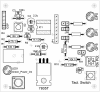
You are misquoting me - I didn't say it was going to have an overlay - I stated that it did. Here is what the corrected image actually looked like:

upload_2015-5-30_23-37-34.png

Use a mini trim pot with shaft.
Are these single turn or partial turn?
The whole circuit will take less than 100mA and the regulator will not get warm.
True only in its existing form. I made this to be a building block - a starting point - that is why the jumpers and header block are in the circuit. I anticipate taking the pinouts to other boards and thus will need more current.
Come back to me in 6 months, after you have created another 20 projects and you will how useless the board is.
This is a bit of a condescending attitude to take, Colin. I don't find quantity to be a measure of success here. To date I have created several different functioning boards, one is in service doing something useful, one is physically complete and awaiting programming and then this most recent board. No big deal, but that is my start as a hobbyist. If you want to come back in six months and check in, feel free, but this is not your post. I got your point - if its not labeled you will not recall what you did. In other more complex projects with groups of workers, I have seen this first hand and have learned from it years ago. Luckily I have the bottom of the board labelled and I keep good records, thanks for the concern.
 

hevans1944

Hop - AC8NS
Jun 21, 2012
4,968
Joined
Jun 21, 2012
Messages
4,968
It's really hard to argue against a neat layout that flows with the schematic, voltage rails on opposite sides, silk-screened component identification, tin-plated copper traces, plated-through holes and all the other nice amenities a factory-made board provides. But I wouldn't characterize @chopnhack 's board as useless if the circuitry is correct and it achieves its goal of providing a stable bread-board platform for experimentation and learning.

I sure wish we had laser printers back in the day to do "toner resist" transfers, plus the (free) software for schematic capture and board layout available today to make an image of the traces to be etched. Instead, we did layout at 1X on a Mylar sheet using Bishop Graphics crepe tape (of various widths) for conductors and stick-on Mylar pads (called puppets) for through-hole components. Some of the IC pads had traces between the pads, which made layout a little easier, and a tiny hole for spot drilling the pad later after the board was etched.

After the artwork was done, we used it to contact-expose Kodak Kodalith photolithography film in our makeshift darkroom, flicking on the overhead room light for a few seconds of exposure. The film was then developed in Kodak AB developer, fixed, washed, and hung up to dry for a few hours. Usually there were a few pin-holes on the developed negative that we filled in with Koh-I-Noor Rapidograph technical pens filled with India ink. We then used the developed film to contact-expose photosensitive resist on boards purchased from Kepro.

It took about ten minutes of board exposure under a photography photoflood lamp, mounted about eighteen inches above the board inside a box with mirror-finish aluminum walls and forced-air cooling to keep the board from overheating. The board was sandwiched in a carrier over a piece of foam rubber with a plate glass cover. The sandwich slid on rails into the exposure box. There were alignment pins on the board carrier, so theoretically we could do a double-sided board with two negatives and two exposures, but without through-hole plating of the vias of course.

Board exposure was followed by development in trichlorethylene solvent. Etching followed almost immediately afterward in a heated solution of ferric chloride, also purchased from Kepro. Total turnaround time from schematic to board production was usually a day or two, depending on how long the tape-up task required. I did some digital boards that required more than a week for tape-up, but once that was done the boards could be turned out in less than a day, with perhaps a few hours for drilling on a small drill press with carbide drill bits. I never attempted double-sided boards but some of the techs in the lab did. I found a few judiciously placed jumpers would eliminate the need for a double-sided layout, although it became increasingly difficult to do with digital circuitry.

After drilling the boards, we sometimes placed graphic lettering on one side to identify components and jumper wire locations, using rub-on transfer letters and numbers or sometimes just hand-drawn with a technical pen and India ink. Then we sprayed the board with clear Krylon to keep the graphics from rubbing off. We also tried dipping the boards in an electroless tin-plating solution sold by Kepro, but that gave less than satisfactory results: not shiny and very thin. Sometimes I tried fluxing the board and used a soldering iron and 60/40 solder to "tin" the traces. That worked okay, but was very labor intensive. Most of the time we just left the copper traces bare, mounted components, cleaned off the solder flux residue and sprayed it with clear Krylon.

The most difficult task was coming up with a replacement for board-edge "finger" contacts. Factory-made boards lay down a layer of nickel followed by a few hundred microns of pure gold using an electrolytic process. We tried using an "electrolytic brush pen" and had terrible results. Our gold was always too thin (as determined by Auger surface analysis) to be effective, so we had to come up with a replacement for "finger" contacts. Turns out other people of that era had the same problem, so someone invented fork-contacts you could purchase in strips, cut them off to the correct number of contacts, and solder them to the top side of the board. Fortunately, mating edge-connectors designed for rack-mounting the boards were also available.

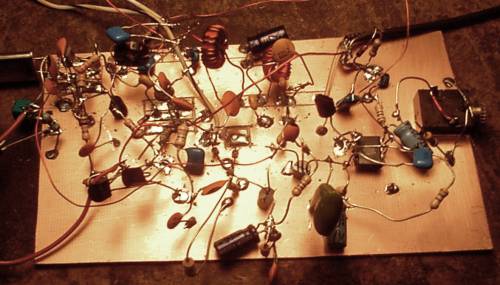
It was always our goal in this lab to turn out prototypes as quickly and as inexpensively as possible. The jobs were almost always "one offs" never to be seen again after a project ended. Sometimes we even resorted to Manhattan construction as well as "dead bug" construction or a combination of both just to get the thing up and running:
AP_80_ugly.jpg

This image was copied from the Web at http://kd1jv.qrpradio.com/ap80/AP_80_ugly.jpg

Pretty and professional-looking were happy accidents more than intentions, but no one went out of their way to build ugly... well, maybe one or two grouchy old techs would do that, just to show us young whippersnappers that "done" is usually better than "perfect" if the project is completed on time, within budget, and working.

So, I guess my point is not that things are easier today, but that they are different. If what you build suits your purpose at the time, kudos to you for getting it "done" rather than getting it "perfect".

I have on-loan a board manufactured this year on a CNC milling machine for the purpose of mounting a few SMD (surface-mount devices) components. It is on loan while I attempt to make it work. Rather than risk damaging the components already mounted on this board, I ordered a SMT-to-DIP converter kit with five or six tiny μP chips and corresponding DIP headers. Each chip has to be hand-soldered to its DIP header. I then attempted to breadboard the original circuit on a common DIP breadboard (the kind most folks here use for LEDs, 555 timers and such).

So far, I have gone through three of the chips (one, at least, expiring with visible release of "magic smoke") without much to show for my efforts. So I ordered ten of the μP chips in an 8-pin PDIP package. They are really cheap! So far, so good. I have been able to "read" the programmable memory contents, and no smoke yet. Next step is to download a small program to test the I/O ports to verify I understand how the hardware works. If I had a board like the one that @chopnhack designed and built, I would be using it now instead of trying to see where all those jumper wires go on the breadboard, and making sure they all connect to the right holes on the breadboard. Even with my magical magnifying headset this is a difficult task for this old(er) man...

Keep on truckin' @chopnhack ! You may have inspired me to repair my ancient black-and-white HP Laserjet printer to make some "toner resist" circuit boards. How come nobody sells inkjet cartridges with resist ink for the el-cheapo inkjet printers? I thought the whole idea of cheap inkjet printers was to suck you into buying ink cartridges! With a straight-through paper handler you could print the resist right on the circuit board. I bet the Xerox wax-ink printer would do this, but their paper path is not straight, IIRC. Plus they cost a fortune.

73 de AC8NS
Hop
 

chopnhack

Apr 28, 2014
1,576
Joined
Apr 28, 2014
Messages
1,576
It's all good - I appreciate the ideas and thoughts of others. Even if they are contrary to what I was thinking, we are not the same and thus we all have different methods, what works for you may not for others. That is how innovation is spurred on.

You go Hop!
What 8 pin μcu are you working with? If it's a PIC, I would be more than happy to send you one of these amateur boards. PM me if you are interested.
 

hevans1944

Hop - AC8NS
Jun 21, 2012
4,968
Joined
Jun 21, 2012
Messages
4,968
Thank you. I've started a conversation with you and the two principals involved in the project.
 

HellasTechn

Apr 14, 2013
1,579
Joined
Apr 14, 2013
Messages
1,579
The regulator is most likely not to need the heatsink in your case but having one will certainly do no harm.

By "legend" you are referring to "silcscreen" i suppose right ?
 

chopnhack

Apr 28, 2014
1,576
Joined
Apr 28, 2014
Messages
1,576
The regulator is most likely not to need the heatsink in your case but having one will certainly do no harm.
Not in the existing circuit, but I do intend to use this board to power other peripheral boards - for instance, an 8x8 LED matrix, etc. I wanted to make sure I would have enough power available without frying the chip. It remains to be seen. True enough, the circuit in its existing form does not need it.

By "legend" you are referring to "silcscreen" i suppose right ?
Yes, silkscreen. Kinda like this one:

upload_2015-6-2_10-32-33.png
 

hevans1944

Hop - AC8NS
Jun 21, 2012
4,968
Joined
Jun 21, 2012
Messages
4,968
Hmm. I see you remembered to mirror-image the original artwork for hot-iron transfer to your circuit board. Good job! Don't need a silkscreen if you can transfer toner "ink" from paper to board.
 

chopnhack

Apr 28, 2014
1,576
Joined
Apr 28, 2014
Messages
1,576
Hmm. I see you remembered to mirror-image the original artwork for hot-iron transfer to your circuit board. Good job! Don't need a silkscreen if you can transfer toner "ink" from paper to board.
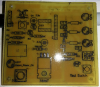
Yes, this one worked really well. I happened upon a designer catalog of various furniture that was being thrown away - a little larger than 8.5x11 size so I now have literally hundreds of pages for toner transfer. The nice thing was after ironing it on, I sprayed some soapy water on it, hit it with the iron, which started to lift it from the board surface - rinsed in cold water and the page fell right off!
 

hevans1944

Hop - AC8NS
Jun 21, 2012
4,968
Joined
Jun 21, 2012
Messages
4,968
Were those catalog pages printed on heavy slick stock? Someone should look into making "paper" specifically for toner transfer, maybe something like the stuff they use to transfer images to T-shirts and coffee mugs. I used to see mall kiosks selling this, but no idea what they were using for image transfer. Anyway, free is good!
 

chopnhack

Apr 28, 2014
1,576
Joined
Apr 28, 2014
Messages
1,576
Yes, free is the best! The paper is thin and slick. Not overly glossy in appearance - I put it through the printer with a standard sheet of paper as a carrier, tape across the leading edge folded over to the back of the carrier to prevent jamming. My first attempt was to run it straight through since it was standard sheet size, but it got jammed. I also used the setting for lower fuser temp, lightweight paper 60-75 # weight at 1200 dpi. Seems to have worked well. I will use the same methods again.

edit: the magazine is larger in size, I trimmed it to allow it to fit through the printer as a standard sheet.
 
Last edited:

HellasTechn

Apr 14, 2013
1,579
Joined
Apr 14, 2013
Messages
1,579
The term silk-screen i thought was referring to "component outlines" on all boards. Or is it the method you use to make the "component outlines" ?

Yanni your board looks PERFECT BRAVO !
 

chopnhack

Apr 28, 2014
1,576
Joined
Apr 28, 2014
Messages
1,576
The term silk-screen i thought was referring to "component outlines" on all boards. Or is it the method you use to make the "component outlines" ?

Yanni your board looks PERFECT BRAVO !
Thanks Constantine.

The silkscreen terminology is loosely used, but in electronics it refers to the component outlines (as you mentioned) in graphic software layouts. Traditional silkscreen is a method still used today for t-shirts and what not.
 

chopnhack

Apr 28, 2014
1,576
Joined
Apr 28, 2014
Messages
1,576
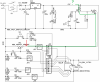
Doing some more reading on PIC programming I came across a schematic that made me question whether or not this pot will function as expected. One leg of the pot(red arrow) needs to be connected to 5v potential for the pic (pin 3) to see the changes in voltage on the analog channel. Also the associated switch needs to have 5v until its shorted to ground, bringing pin 5 low. The green line I have drawn is the only connection now. I think a work around would be to use the left half of the jumper (JP7) to supply 5v directly.

Does anyone think that is should still work since it can sense the change in voltage on an analog scale? In other words, it will start at less than 5v and then work its way down - seems like it should still work as originally drawn, just with less range.


upload_2015-6-7_9-1-32.png
 

hevans1944

Hop - AC8NS
Jun 21, 2012
4,968
Joined
Jun 21, 2012
Messages
4,968
I ran into problems trying to use a 10 kΩ pull-up resistor for a normally-open SPST push-button switch. The PIC10F206 apparently wasn't happy with that. So, I placed another 10 kΩ in parallel with it (to make a total of 5 kΩ in series with the switch to Vdd) and the PIC read the switch input just fine. I'm not happy using a 5 kΩ pull-up, so sometime today I will activate the soft pull-ups inside the PIC, and maybe enter a few milliseconds delay loop, to see if the input change from high (switch not pressed) to low (switch pressed) works without external pull-up resistors. If so, I will then program the "awaken on input transition" feature, put the PIC to sleep, then see if the switch will "awaken" it. This appears to require some extra coding to tell the program where to go after it wakes up, since it goes to address 0x000 after awakening from sleep. Or maybe it goes to 0x1ff (where the oscillator calibration is stored as a MOVLW 0x?? instruction) and rolls over to 0x000. Whatever, the program effectively begins execution at 0x000 after it wakes up.

On a more embarrassing note, I discovered last night that is pays to read the entire datasheet before attempting to program a PIC device. The PIC10F206 is pin-compatible with the PIC10F200, my target PIC for this project, but the two are functionally different. Besides the '206 having twice the program memory space, and an overlap with the user-registers or RAM memory space of the '200, it also has an analog comparator that (of course) shares its two input pins, GP0 and GP1, with other uses of those two ports. So, if the comparator is enabled, using the instruction TRIS GPIO to make for those two pins inputs or outputs is ignored, and they are instead used as analog comparator inputs. Moreover, the default power-on condition is... (wait for it!) ...ENABLED! To get GP0 and GP1 to function as digital I/O ports the program must clear bit 3 in the COMCON0 register to turn the comparator off. Well, duh! This is all cleverly hidden in the datasheet on page 20 in Table 5-1: ORDER OF PRECEDENCE FOR PIN FUNCTIONS and on page 34 in Table 8-2: REGISTERS ASSOCIATED WITH COMPARATOR MODULE.

Now that I have the I/O ports working as expected, I will go back to playing with sleep mode to see just how little current the PIC10F206 draws when it is essentially doing nothing. I don't even want to think about how much time I wasted because I didn't fully read (and understand) the entire datasheet. On the plus side, I did save a few sheets of paper by not printing out the entire datasheet. I just printed the pages I thought were "important" so as to save paper and printer ink. Penny wise and pound foolish I think is the appropriate expression for that. <sigh>

@chopnhack with regard to powering your potentiometer and switches, it is not a good idea to place anything else on the MCLR line. Cut the trace between JP7-2 and JP2-1 and then hand-solder a jumper from JP7-2 to JP2-2 (Vdd). Which PIC are you using? And where IS JP2 on the board you made? I can't seem to find it.

Hop
 
Last edited:

chopnhack

Apr 28, 2014
1,576
Joined
Apr 28, 2014
Messages
1,576
Thanks Hop! I know the PIC's can be difficult to get running, I think its worthwhile though, there is so much that can be done with them!

I am using a 12F675. JP2 is by one of the board mounting screw, its a black header (silkscreen labelled as ICSP)
 

hevans1944

Hop - AC8NS
Jun 21, 2012
4,968
Joined
Jun 21, 2012
Messages
4,968
Did you remember to disable the A/D converter and the comparator before trying to use any of the GPIO bits as input or output ports? This is quite an ambitious μP for a "beginner" to learn with. What do you intend to do with it?
 

chopnhack

Apr 28, 2014
1,576
Joined
Apr 28, 2014
Messages
1,576
Did you remember to disable the A/D converter and the comparator before trying to use any of the GPIO bits as input or output ports? This is quite an ambitious μP for a "beginner" to learn with. What do you intend to do with it?

I am not sure Hop. I looked at the data sheet on the confi. bits but didnt see any information about disabling what you mentioned.

upload_2015-6-10_0-2-32.png
 

hevans1944

Hop - AC8NS
Jun 21, 2012
4,968
Joined
Jun 21, 2012
Messages
4,968
The configuration word defaults to all bits set unless you change it at the beginning of your program (before any code) using the __CONFIG directive. As you can see, this is mainly used to enable and disable certain "features". I would recommend that bit 3 WDTE: Watchdog Timer Enable bit be cleared (bit 3 = 0) while debugging any program that does not explicitly depend on the watchdog for program timing. If you don't do this, and your program begins executing a longish loop, the WDT will time out and reset your PIC! You probably want to leave bit 5 MCLRE: GP3/MCLR pin function select in the default state (bit 5 = 1) so you can use GP3 as an input to reset the PIC, as you do now on your PCB. Later on, you may decide you need GP3 for use as an I/O port and are willing to give up the master clear function. After all, you can always interrupt power to create a reset condition!

The code protection feature, bit 7 CP: Code protection bit should NEVER be turned on by clearing this bit... IMHO. The default for all the CONFIG bits is "1" so you are generally safe in leaving them that way... except for the watchdog timer.

It took me awhile to even figure out how to set the configuration word. It cannot be done within a program. MPLAB has to do it after the program is built before the program is downloaded to your PIC. All the configuration bits are symbolically defined in picname.inc files that come with MPLAB X and are located in C:\Program Files\Microchip\MPLABX\mpasmx with names that resemble whichever PIC you are using with a .inc extension. You use a #include picname.inc at the beginning of your program to allow the symbols to be used in a __CONFIG assembler directive. You should examine the .inc file for your PIC to see what symbols are defined and what their values are. I write the __CONFIG directive right after the #include statement. All the bits that are to be changed by the __CONFIG directive have their macro symbols concatenated with " & " (space, ampersand, space). You use exactly as many symbols as the number of bits you want to change. The config directive is used with the PIC18 and has a different syntax. All this is explained in Appendix A. Configurations Settings Summary of the MPLAB X IDE User's Guide.

For the Analog to Digital Converter, you programmatically clear bit 0 in ADCON0: A/D CONTROL REGISTER to disable the converter. See page 45 of the datasheet. However, if you want to use the analog input pins as digital I/O you must also clear bit 3, bit 2, bit 1, and bit 0 in ANSEL: ANALOG SELECT REGISTER. See Note 1 on page 46 of the datasheet and the bit descriptions of this register on the same page. The analog inputs are GP0, GP1, GP2, and GP3 and you must clear these bits in the ANSEL register to use those ports as digital I/O ports. They all default to one after a reset or start-up, meaning GP0, GP1, GP2, and GP3 are all analog inputs and cannot be used for digital I/O until the associated bit in ANSEL is cleared. See Table 7-2: SUMMARY OF A/D REGISTERS on page 48. Presumably, you can leave some of the analog inputs enabled and use the disabled ones as digital I/O.

For the Comparator, you programmatically set bit 2, bit 1 and bit 0 in CMCON: COMPARATOR CONTROL REGISTER to disable the comparator. See page 37 and page 39 of the datasheet.

After doing these two things, you can use TRIS GPIO to program any of the six GP ports as digital inputs or digital outputs, except GP3 which is always an input port. Be aware that when doing a read of a port, it is the logic state on the pins that is read, not the logic state on the latch associated with writing to that port.

There is a lot to like with the PIC12F675 compared with the limited analog capabilities (a single analog comparator!) of my PIC10F206. And for two more pins (eight instead of six) you get two more general purpose I/O ports. What's not to like? Well... it is a little more complex...:D But wait until you move up to one of the big guys with a zillion more pins. We are starting to talk about some serious computing horse power! But I bet they Microchip engineers still try to multiplex everything on as many pins as possible. It seems to be their culture:

Program Manager: Uh, why is it you want to multiplex power and ground on this new chip with the 500-pin BGA array?
Design Engineer: Because we CAN.:p

Hop
 

chopnhack

Apr 28, 2014
1,576
Joined
Apr 28, 2014
Messages
1,576
Hi Hop, thanks for the detailed reply. I am sorry to say that it escapes me a bit. I looked over the relevant sections that you pointed out, page 45 of the pic12f675 datasheet as well as the referenced section in the IDE users manual and I am just not getting it. I can share with you what I have included in my asm file:

__CONFIG _CP_OFF & _CPD_OFF & _BODEN_OFF & _MCLRE_ON & _WDT_OFF & _PWRTE_ON & _INTRC_OSC_NOCLKOUT

I set these directly through MPLAB's config menu which is buried and hard to find, but very useful.
 
Top