Pioneer LX-424 - Need Help

bundyboy

Aug 6, 2025
17
Joined
Aug 6, 2025
Messages
17
Hello,

I have Pioneer LX-424, but I see it is almost the same as SX-424.
So 10 days ago, the left channel started to produce boom boom sound even though nothing was playing.
So a friend of mine suggested that I change all the electrolytic capacitors and transistors on the amplifier board, because it's about 50 years old.

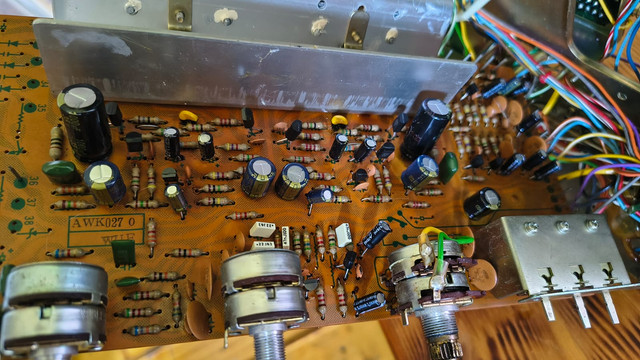
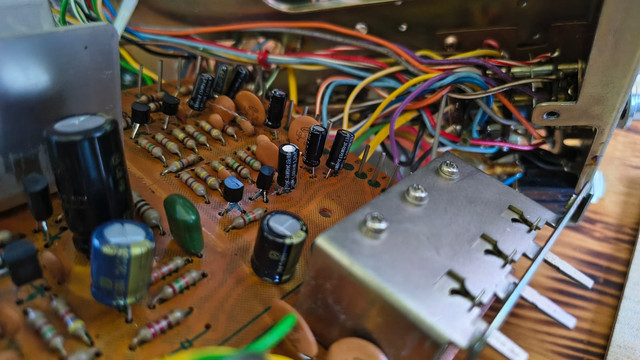
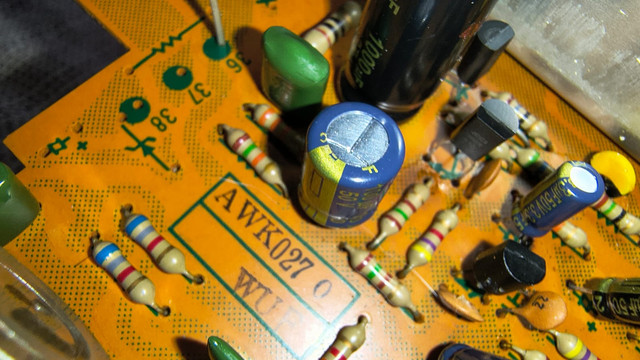
Therefore I did it, on AWK-027 board I changed it all: electrolytic capacitors, transistors, resistors at output transistors, and few small capacitor.
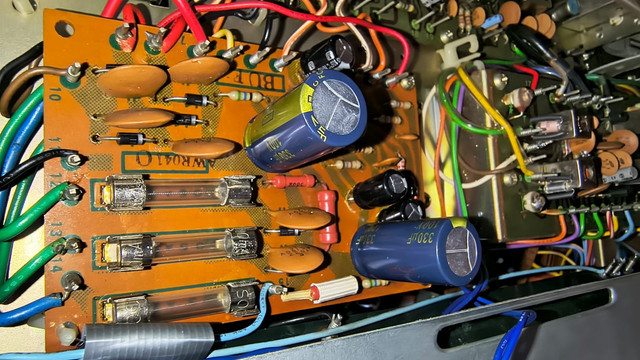
but I also changed the diodes, capacitors, and transistors on the power supply (AWR-041), but I did not
changed zener diode on because I forgot to buy it.

after that I put everything back together, turned on the device. and the left channel that was causing problems, now works perfectly. however the right channel that worked before, now doesn't work at all. absolutely nothing, no noise or anything.

:(

The first thing I checked with a multimeter was the output transistors in multimeter continuity mode, Does the metal housing of the transistors touch the heat sink?
After checking, I found that they don't touch.

Also I don't know if this is normal, I have put one probe on GND, and the other one I touched the emitter pin of the output transistor Q17, and in multimeter continuity mode,

multimeter produces sound. Same situation is with output transistor Q18.

The fuses didn't blow, nothing exploded, nothing smelled of burning or anything like that.

I tested the speakers in A, B, and A+B, but in all modes right channel does not work.

Also I have multimeter TOOLTOP ET2010A which has 1MHz Oscilloscope mode.

Please help me, where did I go wrong? and what can I check now and how?
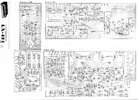
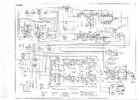
pioneer_lx-424_stereo_receiver_sch-1.jpg

pioneer_lx-424_stereo_receiver_sch-2.jpg

Thank you
 

Harald Kapp

Moderator
Moderator
Nov 17, 2011
14,270
Joined
Nov 17, 2011
Messages
14,270
what can I check now and how?
First thing to check is the correct power supply (-ies) to all boards.
Double check all connectors for correct mating.
The fuses didn't blow
Don't rely on a visual inspection. Fuses can blow in a way that is not obviously visible. Check continuity with a multimeter.
 

bundyboy

Aug 6, 2025
17
Joined
Aug 6, 2025
Messages
17
Hi,

I'm not a professional, can you explain a little more? this: the correct power supply (-ies) to all boards.
How do I check this, and in what way? Does the receiver need to be turned on, etc.

I checked the fuses again with a multimeter, and they are all fine.

another strange thing happened, yesterday afternoon i turned on the headphones, and they worked normally. after that i plugged in the cable which has a 3.5mm connector on both sides. and i went to check if there was a signal on the left and right channels, and unfortunately there was no signal on the right channel again.
however two or three minutes later, the left channel stopped working too... and i didn't touch anything, i don't understand what's happening...

Is it possible that the output transistors q15, q16, q17, q18 are burnt out?

Thank you
 

Harald Kapp

Moderator
Moderator
Nov 17, 2011
14,270
Joined
Nov 17, 2011
Messages
14,270
How do I check this, and in what way?
Turn on the receiver and measure the voltage of the power supply (or power supplies).
two or three minutes later, the left channel stopped working too... and i didn't touch anything
Sounds like something heated up and then the receiver shut down due to overheating. Not an unusual protection measure.
Is it possible that the output transistors q15, q16, q17, q18 are burnt out?
Possible: yes.
You have appplied the insulation between transistors and heatsink that most likely has been there in the first place, have you?
The schematic you posted is unreadable. Please provide a better readable scan.
I changed it all: electrolytic capacitors
With correct polarity, I hope.
 

bertus

Moderator
Nov 8, 2019
3,835
Joined
Nov 8, 2019
Messages
3,835
Hello,

Here is a better readable schematic.
I see 40 volts (shown as +B in the schematic), 25.5 volts and 13.5 volts coming from the supply.

Bertus
 

Attachments

  • LX-424.pdf
    3.8 MB · Views: 2

bundyboy

Aug 6, 2025
17
Joined
Aug 6, 2025
Messages
17
Hi,

can you download the schematic from here: https://elektrotanya.com/pioneer_sx-424_am-fm_stereo_receiver.pdf/download.html
I downloaded it from here too.

Yes, I have appplied the insulation between transistors and heatsink.
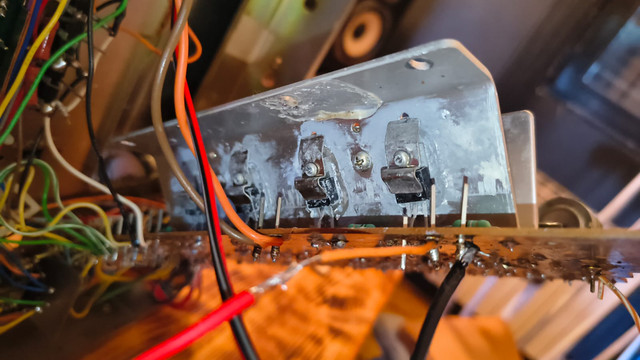
I also cleaned everything before I put the new one in. Additionally, I put a thin layer of thermal paste on the heatsink, then I put insulation on it, and then I put a thin layer of thermal paste on the transistor, and that's how I pressed everything in.

I used a multimeter with continuity mode to measure whether the transistor was touching the heat sink, by touching the heat sink, and with the other probe I touched the metal housing of the transistor. Neither one rang.

I checked several times, and I believe I put everything in the right way.. wouldn't the capacitor explode if it was turned the wrong way?

After looking at the schematic, can you tell me exactly where and how to measure voltage of the power supply?

and what else can I do ?

on the power supply board, connected c11 capacitor. instead of 220 uf, I put 330 uf. could that be a problem? I put the others of the same capacity.

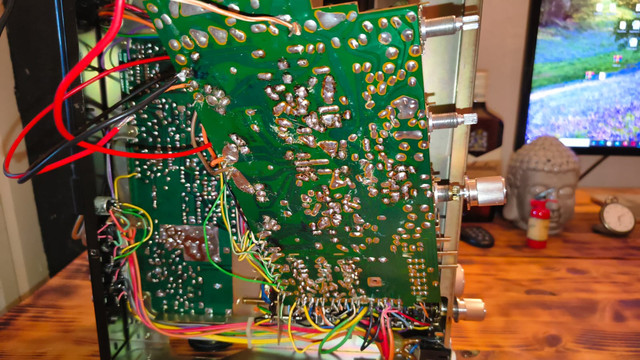
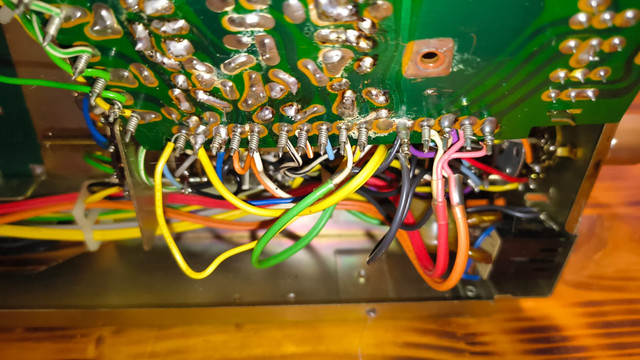
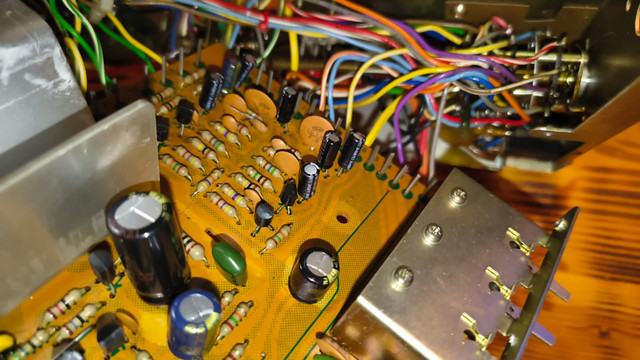
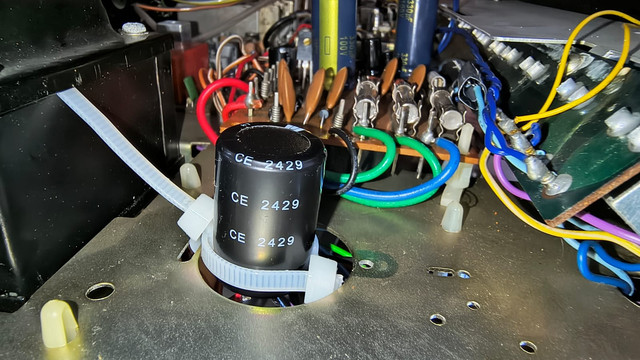
also you can take a look some images:


Thank you
 

JP-Stereo

Feb 13, 2025
15
Joined
Feb 13, 2025
Messages
15
Hi, it look like the pream is OK since the headphone have both channels.

The emitter of Q17 is at 0.5 ohms (R77) from ground, that may be direct enough to trigger a continuty signal from some multimeter.
But it didn't look like a problem, unless it's really measuring less than 0.5 ohms on the resistance reading.

The power supply connector may be separate for the test.
On an unloaded PS confirm the 25.5v dc on pin 4 of the Power Supply connector...
The 13 v dc on pin 1, the 36v on pin 7, there should also be an unspecified voltage on pin 2 for the S1-1r selector and pin 15 for the dial lamp.

That's i would check...
 

bundyboy

Aug 6, 2025
17
Joined
Aug 6, 2025
Messages
17
Hi,

Unfortunately I didn't explain it well.

the left speaker worked normally, the right did not work at all. After that, I plugged in the headphones, then the headphones worked, but I wanted to find out if both channels worked on the headphones. So instead of the headphones, I plugged in a cable that has a 3.5mm connector on both sides. And then I found out that the right channel still did not work. A few minutes later, the left channel stoped to work also..

Screenshot_1.png
 

Attachments

  • Screenshot_1.png
    Screenshot_1.png
    158.2 KB · Views: 0

bundyboy

Aug 6, 2025
17
Joined
Aug 6, 2025
Messages
17
Hello,

Here is a better readable schematic.
I see 40 volts (shown as +B in the schematic), 25.5 volts and 13.5 volts coming from the supply.

Bertus
Hi,

i have tested, and i receive 25.6 volts and 13.8 volts.

But I dont receive 40 volts.

for some reason both fuses are blown in box 1.2 A x 2 from schematic.

Why did that happen?

Thank you
 

bundyboy

Aug 6, 2025
17
Joined
Aug 6, 2025
Messages
17
Hello,

Here is a better readable schematic.
I see 40 volts (shown as +B in the schematic), 25.5 volts and 13.5 volts coming from the supply.

Bertus
Hi,

I have tested Q15, Q16, Q17, and Q18 with multimeter, and they are fine.
Of course, before testing, I unsoldered the legs from the transistors.
 

bundyboy

Aug 6, 2025
17
Joined
Aug 6, 2025
Messages
17
I managed to solve the problem, the problem was in the switch where I select a, b, or a+b... now everything works, because I bypassed the switch, and connected the speakers directly. and now everything works. However, now I have a problem that when I turn on the receiver, I can hear pop in speakrs....
What can I do to stop it from happening? Because I'm afraid to open the switch, and I doubt the switch can be repaired? What are my options?
 

Martaine2005

May 12, 2015
5,276
Joined
May 12, 2015
Messages
5,276
Clean the switch with a contact/switch cleaner.
Spray it in the switch and rigorously move the switch. Perhaps perform this twice.
 

bundyboy

Aug 6, 2025
17
Joined
Aug 6, 2025
Messages
17
Clean the switch with a contact/switch cleaner.
Spray it in the switch and rigorously move the switch. Perhaps perform this twice.
How long do I have to wait for the contact spray to start working? And do I have to turn the switch on immediately after spraying?
 

Martaine2005

May 12, 2015
5,276
Joined
May 12, 2015
Messages
5,276
Not long, but don’t have power on!.
Move the switch vigorously, spray in a little more, repeat. Then power on and test it.
 

JP-Stereo

Feb 13, 2025
15
Joined
Feb 13, 2025
Messages
15
If the contacts are copper looking, contact cleaner should do.
But if the contacts are black or dark grey, it may be silver contacts...
As encountered in some Samsui and Marrantz sets.
These must be disassembled cleaned/buffed and treated with Deoxit.
They come back to shiny silver state for another decade.

Good luck.
 

JP-Stereo

Feb 13, 2025
15
Joined
Feb 13, 2025
Messages
15
When the contacts are oxidised black the cleaning is more complex.
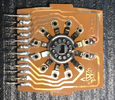
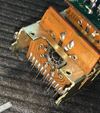
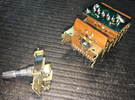
The contact board before buffing and after, plus the whole assembly.

1755263921322.png 1755264002167.png 1755263750617.png

The perimeter contacts must be buffed with a small eraser via the free spaces by rotating the inner star tab wheel.
*** Do not forget to put marks everywhere to bring the stars back to their original position before reassembly. ***
It's like a clockwork repair...
 
Top