You are using an out of date browser. It may not display this or other websites correctly.
You should upgrade or use an alternative browser.
You should upgrade or use an alternative browser.

Scroll to continue with content

- Joined
- Nov 17, 2011
- Messages
- 14,309
No.
The diodes will never be 100.000000000000000000 % equal. Therefore the diode with less pass volateg will also pass a higher current. The power dissipated by the diode will increase its temperature, which in turn further lowers the pass voltage which in turn increases curent and so on (link). This will lead to thermal runaway.
The diodes will never be 100.000000000000000000 % equal. Therefore the diode with less pass volateg will also pass a higher current. The power dissipated by the diode will increase its temperature, which in turn further lowers the pass voltage which in turn increases curent and so on (link). This will lead to thermal runaway.
ok I see so if I put two diodes rated at 10amp it WILL NOT handle 20amp I should just buy a diode rated at 20amp, thanks Mr Harald Kapp I find this phenomenon extremely fascinating and I am glad you brought it to my attention! very interesting stuff!
Last edited:
why would this not happen with one diode? (thermal runaway)No.
The diodes will never be 100.000000000000000000 % equal. Therefore the diode with less pass volateg will also pass a higher current. The power dissipated by the diode will increase its temperature, which in turn further lowers the pass voltage which in turn increases curent and so on (link). This will lead to thermal runaway.
why would the thermal runaway not happen with only using one diode please? thanksNo.
The diodes will never be 100.000000000000000000 % equal. Therefore the diode with less pass volateg will also pass a higher current. The power dissipated by the diode will increase its temperature, which in turn further lowers the pass voltage which in turn increases curent and so on (link). This will lead to thermal runaway.
because when current flows through it it will get hotter and shouldn't the same feedback loop happen, hotter more current, hotter more current, and so on?

It could happen. But in any well-designed practical circuit there is always something in series to limit the current to a safe level at which the diode can survive.why would the thermal runaway not happen with only using one diode please?
oh cool, or warm  my boards are 43% through the build process and have successfully loaded the program to the Arduino nano (using old booltloader) here's the code if you are interested, used practically all of the pins on the nano I think this is correct but any input welcomed!! thanks guys
EDIT the last code did not have dead time!
my boards are 43% through the build process and have successfully loaded the program to the Arduino nano (using old booltloader) here's the code if you are interested, used practically all of the pins on the nano I think this is correct but any input welcomed!! thanks guysEDIT the last code did not have dead time!
C++:
#include <Wire.h>
#include <LiquidCrystal_I2C.h>

// Pin assignments
const int button1Pin = 2;   // Button for Phase One
const int button2Pin = 5;   // Button for Phase Two
const int button3Pin = 6;   // Button for Phase Three
const int redLED1Pin = 1;   // Red LED for Phase One
const int greenLED1Pin = 7; // Green LED for Phase One
const int redLED2Pin = 8;   // Red LED for Phase Two
const int greenLED2Pin = 10; // Green LED for Phase Two
const int redLED3Pin = 11;  // Red LED for Phase Three
const int greenLED3Pin = 12; // Green LED for Phase Three
const int escPin = 9;       // ESC control pin
const int rgbRedPin = 13;   // RGB LED red pin
const int rgbGreenPin = A0; // RGB LED green pin
const int rgbBluePin = A1;  // RGB LED blue pin
const int voltagePin = A4;  // ZMPT101B voltage sensor
const int currentPin = A5;  // ACS712 current sensor
const int potPin = A6;      // Potentiometer
const int togglePin14 = 14; // Toggling pin 14
const int togglePin15 = 15; // Toggling pin 15

// LCD initialization
LiquidCrystal_I2C lcd(0x27, 20, 4);  // Adjust the address as necessary

// Variables for button states
unsigned long lastPressTime1 = 0;
unsigned long lastPressTime2 = 0;
unsigned long lastPressTime3 = 0;
int pressCount1 = 0;
int pressCount2 = 0;
int pressCount3 = 0;

// Phase flags
bool phaseOneActive = false;
bool phaseTwoActive = false;
bool phaseThreeActive = false;

// Toggling state for Phase One
bool toggleState = false;

// Timing variables for toggling
unsigned long lastToggleTime = 0;
const unsigned long toggleInterval = 20;  // 50Hz -> 20ms for 50Hz

void setup() {
    // Initialize pins
    pinMode(button1Pin, INPUT_PULLUP);
    pinMode(button2Pin, INPUT_PULLUP);
    pinMode(button3Pin, INPUT_PULLUP);
    pinMode(redLED1Pin, OUTPUT);
    pinMode(greenLED1Pin, OUTPUT);
    pinMode(redLED2Pin, OUTPUT);
    pinMode(greenLED2Pin, OUTPUT);
    pinMode(redLED3Pin, OUTPUT);
    pinMode(greenLED3Pin, OUTPUT);
    pinMode(escPin, OUTPUT);
    pinMode(rgbRedPin, OUTPUT);
    pinMode(rgbGreenPin, OUTPUT);
    pinMode(rgbBluePin, OUTPUT);
    pinMode(togglePin14, OUTPUT); // Toggling pin 14
    pinMode(togglePin15, OUTPUT); // Toggling pin 15

    // Initialize LCD with the correct parameters
    lcd.begin(20, 4);  // 20 columns and 4 rows
    lcd.backlight();   // Turn on the backlight

    // Initial state: Phase One is inactive
    digitalWrite(redLED1Pin, HIGH);  // Red LED on, indicating inactive
    digitalWrite(greenLED1Pin, LOW);  // Green LED off
}

void loop() {
    // Check button 1 (Phase One)
    handleButtonPress(button1Pin, lastPressTime1, pressCount1, phaseOneActive, redLED1Pin, greenLED1Pin);

    // Check button 2 (Phase Two)
    handleButtonPress(button2Pin, lastPressTime2, pressCount2, phaseTwoActive, redLED2Pin, greenLED2Pin);

    // Check button 3 (Phase Three)
    handleButtonPress(button3Pin, lastPressTime3, pressCount3, phaseThreeActive, redLED3Pin, greenLED3Pin);

    // Toggle pins 14 and 15 for Phase One if active
    if (phaseOneActive) {
        unsigned long currentTime = millis();
        if (currentTime - lastToggleTime >= toggleInterval) {
            toggleState = !toggleState;
            digitalWrite(togglePin14, toggleState ? HIGH : LOW);  // Toggle Pin 14

            delayMicroseconds(2);  // 2µs dead time

            digitalWrite(togglePin15, toggleState ? LOW : HIGH);  // Toggle Pin 15
            lastToggleTime = currentTime;
        }
    }

    // Update Phase Two display
    if (phaseTwoActive) {
        float voltage = analogRead(voltagePin) * (5.0 / 1023.0);  // Adjust for actual voltage
        float current = analogRead(currentPin) * (5.0 / 1023.0);  // Adjust for actual current
        float power = voltage * current;  // Calculate power
        float frequency = 60.0;  // Placeholder for frequency, replace with actual reading

        lcd.setCursor(0, 0);
        lcd.print("Voltage: " + String(voltage) + "V");
        lcd.setCursor(0, 1);
        lcd.print("Current: " + String(current) + "A");
        lcd.setCursor(0, 2);
        lcd.print("Power: " + String(power) + "W");
        lcd.setCursor(0, 3);
        lcd.print("Freq: " + String(frequency) + "Hz");
    }

    // Control ESC with potentiometer
    if (phaseThreeActive) {
        int potValue = analogRead(potPin);  // Read the potentiometer value (0-1023)
        int escValue = map(potValue, 0, 1023, 1000, 2000);  // Map to 1-2ms pulse width for ESC
        analogWrite(escPin, escValue);  // Send PWM signal to ESC
    }
}

// Function to handle button presses for each phase
void handleButtonPress(int buttonPin, unsigned long &lastPressTime, int &pressCount, bool &phaseActive, int redLED, int greenLED) {
    if (digitalRead(buttonPin) == LOW) {
        if (millis() - lastPressTime < 500) {  // Button press within 0.5 seconds
            pressCount++;
        } else {
            pressCount = 1;  // Reset count
        }
        lastPressTime = millis();  // Update last press time
    }

    // Check for double press
    if (pressCount == 2) {
        if (!phaseActive) {
            // Activate phase
            phaseActive = true;
            digitalWrite(redLED, LOW);  // Turn off red LED
            digitalWrite(greenLED, HIGH);  // Turn on green LED
        } else {
            // Deactivate phase
            phaseActive = false;
            digitalWrite(redLED, HIGH);  // Turn on red LED
            digitalWrite(greenLED, LOW);  // Turn off green LED
        }
        pressCount = 0;  // Reset count after toggling
    }
}
Last edited:
going to use this one final answer chatgpt taking the micheal this does what I want but will not display power and frequency if I ask it to update the program to accommodate for that then it will miss pins, change pin numbers around, have errors in compiling this list is literally endless the last code I loaded on to here missed out the sda and scl pins for the screen so was no good, it has taken a very long time to get it to this point so going to stop while I'm ahead or It'll drive me up the wall!!
pins
pins
C++:
#include <Wire.h> // Include the Wire library for I2C communication
#include <LiquidCrystal_I2C.h> // Include the LiquidCrystal_I2C library

// I2C Pin Assignments
const int sdaPin = A2; // SDA pin
const int sclPin = A3; // SCL pin

// Create the LCD object with the I2C address
LiquidCrystal_I2C lcd(0x27, 20, 4); // Adjust the address as necessary

// Pin assignments
const int button1Pin = 2; // Button 1
const int button2Pin = 5; // Button 2
const int button3Pin = 6; // Button 3
const int redLedPhase1Pin = 1; // Red LED for Phase 1
const int greenLedPhase1Pin = 7; // Green LED for Phase 1
const int redLedPhase2Pin = 8; // Red LED for Phase 2
const int greenLedPhase2Pin = 10; // Green LED for Phase 2
const int redLedPhase3Pin = 11; // Red LED for Phase 3
const int greenLedPhase3Pin = 12; // Green LED for Phase 3
const int rgbRedPin = 13; // RGB LED Red Pin
const int rgbGreenPin = A0; // RGB LED Green Pin
const int rgbBluePin = A1; // RGB LED Blue Pin
const int escPin = 9; // ESC Control Pin
const int voltageSensorPin = A4; // Voltage Sensor (ZMPT101B)
const int currentSensorPin = A5; // Current Sensor (ACS712)
const int potPin = A6; // Potentiometer

// Pin assignments for IR2110 control
const int ir2110Pin1 = 14; // First control pin for IR2110
const int ir2110Pin2 = 15; // Second control pin for IR2110

// State variables
bool phase1Active = false;
bool phase2Active = false;
bool phase3Active = false;

// Timing variables
unsigned long lastSignalToggleTime = 0; // Time of the last toggle for Phase 1
const unsigned long toggleInterval = 20; // 20 ms for 50 Hz
const unsigned long buttonPressInterval = 1000; // 1 second for button press detection
unsigned long buttonPressTime[3]; // Store button press times for debounce

void setup() {
    // Initialize Serial Monitor
    Serial.begin(9600);

    // Initialize pin modes
    pinMode(button1Pin, INPUT);
    pinMode(button2Pin, INPUT);
    pinMode(button3Pin, INPUT);
    pinMode(redLedPhase1Pin, OUTPUT);
    pinMode(greenLedPhase1Pin, OUTPUT);
    pinMode(redLedPhase2Pin, OUTPUT);
    pinMode(greenLedPhase2Pin, OUTPUT);
    pinMode(redLedPhase3Pin, OUTPUT);
    pinMode(greenLedPhase3Pin, OUTPUT);
    pinMode(rgbRedPin, OUTPUT);
    pinMode(rgbGreenPin, OUTPUT);
    pinMode(rgbBluePin, OUTPUT);
    pinMode(escPin, OUTPUT);

    // Set the IR2110 pins as output
    pinMode(ir2110Pin1, OUTPUT);
    pinMode(ir2110Pin2, OUTPUT);

    // Initialize Wire (default pins A4 for SDA and A5 for SCL)
    Wire.begin(); // No parameters needed

    // Initialize the LCD
    lcd.begin(20, 4); // Set the LCD dimensions
    lcd.backlight(); // Turn on the backlight

    // Initial LED states
    digitalWrite(redLedPhase1Pin, HIGH); // Red LED ON for Phase 1
    digitalWrite(greenLedPhase1Pin, LOW); // Green LED OFF for Phase 1
}

void loop() {
    // Check button states
    checkButtons();

    // Manage Phase One signals for IR2110
    if (phase1Active) {
        unsigned long currentMillis = millis();
        if (currentMillis - lastSignalToggleTime >= toggleInterval) {
            lastSignalToggleTime = currentMillis;

            // Toggle the IR2110 control pins with 2 µs dead time
            digitalWrite(ir2110Pin1, HIGH); // Set the first pin high
            delayMicroseconds(2); // 2 µs dead time
            digitalWrite(ir2110Pin1, LOW); // Set the first pin low

            // Delay for the remaining cycle time
            delayMicroseconds(19500); // Remaining time for 20 ms total cycle (20ms - 2us)

            digitalWrite(ir2110Pin2, HIGH); // Set the second pin high
            delayMicroseconds(2); // 2 µs dead time
            digitalWrite(ir2110Pin2, LOW); // Set the second pin low

            // Delay for the remaining cycle time
            delayMicroseconds(19500); // Remaining time for 20 ms total cycle (20ms - 2us)
        }
    }

    // Update LCD with sensor readings in Phase Two
    if (phase2Active) {
        updateLCD();
    }

    // ESC Control in Phase Three
    if (phase3Active) {
        controlESC();
    }

    // RGB LED color cycling
    cycleRGB();
}

void checkButtons() {
    // Check Button 1
    if (digitalRead(button1Pin) == HIGH) {
        delay(50); // Debounce delay
        if (digitalRead(button1Pin) == HIGH) {
            recordButtonPress(0);
            if (checkDoublePress(0)) {
                togglePhase1();
            }
        }
    }

    // Check Button 2
    if (digitalRead(button2Pin) == HIGH) {
        delay(50); // Debounce delay
        if (digitalRead(button2Pin) == HIGH) {
            recordButtonPress(1);
            if (checkDoublePress(1)) {
                togglePhase2();
            }
        }
    }

    // Check Button 3
    if (digitalRead(button3Pin) == HIGH) {
        delay(50); // Debounce delay
        if (digitalRead(button3Pin) == HIGH) {
            recordButtonPress(2);
            if (checkDoublePress(2)) {
                togglePhase3();
            }
        }
    }
}

void recordButtonPress(int buttonIndex) {
    unsigned long currentTime = millis();
    buttonPressTime[buttonIndex] = currentTime;
}

bool checkDoublePress(int buttonIndex) {
    unsigned long currentTime = millis();
    if (currentTime - buttonPressTime[buttonIndex] <= buttonPressInterval) {
        // Ensure there was a previous press within the interval
        return buttonPressTime[buttonIndex] > 0 && (currentTime - buttonPressTime[buttonIndex] < buttonPressInterval);
    }
    return false;
}

void togglePhase1() {
    phase1Active = !phase1Active;
    if (phase1Active) {
        digitalWrite(redLedPhase1Pin, LOW); // Turn off red LED
        digitalWrite(greenLedPhase1Pin, HIGH); // Turn on green LED
    } else {
        digitalWrite(redLedPhase1Pin, HIGH); // Turn on red LED
        digitalWrite(greenLedPhase1Pin, LOW); // Turn off green LED
    }
}

void togglePhase2() {
    phase2Active = !phase2Active;
    if (phase2Active) {
        digitalWrite(redLedPhase2Pin, LOW); // Turn off red LED
        digitalWrite(greenLedPhase2Pin, HIGH); // Turn on green LED
        lcd.clear(); // Clear the LCD
    } else {
        digitalWrite(redLedPhase2Pin, HIGH); // Turn on red LED
        digitalWrite(greenLedPhase2Pin, LOW); // Turn off green LED
        lcd.clear(); // Clear the LCD
    }
}

void togglePhase3() {
    phase3Active = !phase3Active;
    if (phase3Active) {
        digitalWrite(redLedPhase3Pin, LOW); // Turn off red LED
        digitalWrite(greenLedPhase3Pin, HIGH); // Turn on green LED
    } else {
        digitalWrite(redLedPhase3Pin, HIGH); // Turn on red LED
        digitalWrite(greenLedPhase3Pin, LOW); // Turn off green LED
    }
}

void updateLCD() {
    float voltage = analogRead(voltageSensorPin) * (5.0 / 1023.0); // Voltage conversion
    float current = analogRead(currentSensorPin) * (5.0 / 1023.0); // Current conversion
    float power = voltage * current; // Calculate power (W)

    // Update the LCD display
    lcd.setCursor(0, 0);
    lcd.print("Voltage: " + String(voltage, 2) + "V");
    lcd.setCursor(0, 1);
    lcd.print("Current: " + String(current, 2) + "A");
    lcd.setCursor(0, 2);
    lcd.print("Power: " + String(power, 2) + "W");
    // Frequency calculation could be added here if needed
}

void controlESC() {
    // Read the potentiometer value and map it to PWM range
    int potValue = analogRead(potPin);
    int pwmValue = map(potValue, 0, 1023, 0, 255); // Map to 0-255 range

    // Control the ESC with PWM
    analogWrite(escPin, pwmValue);
}

void cycleRGB() {
    // Add your RGB cycling logic here
}It could happen. But in any well-designed practical circuit there is always something in series to limit the current to a safe level at which the diode can survive.
but my circuit is fine right?
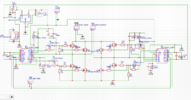
You don't have any power-hungry diodes to worry about.but my circuit is fine right?
so my PCB's are being posted tomorrow and take 8 to 12 business days to arrive will keep you guys updated heat sinks have come the 1000v 10amp diodes have come the screen for the readout of voltage and current has come and the current sensors too!! the MOSFETS's come at the end of the month along with the voltage sensors as well and header pins
Last edited:
so made a start on the new inverter; by not planning correctly, I didn't leave enough space for the a pin on two resistors to fit with the heatsinks, so going to get the Dremel out tomorrow and make minor modification to the heatsinks should be fine! the resistors and caps go on tomorrow too along with connectors and USB socket ! happy days! the heat sinks look like tower blocks of flats in London or somewhere
going to make a start on the board, that drives the inverter controls, the screen that displays the voltage and current form the machine, and also incorporates the ESC and they turn on with the double press of button for the activation of these three functions! getting there!
Similar threads
- Replies
- 2
- Views
- 34

- Replies
- 1
- Views
- 56

- Replies
- 1
- Views
- 80
- Replies
- 1
- Views
- 80
