
Elecrow 5.79-Inch Low-Power E-paper Display Review
This CrowPanel ESP32 5.79” electronic paper HMI display has a sharp monochrome screen with deep sleep, partial refresh, and sunlight readability.
This CrowPanel ESP32 5.79” electronic paper HMI Display (E-Paper) is an advanced display technology. It uses an active matrix electrophoretic display and a hard-coated anti-glare display surface to keep the content visible even in sunlight, perfectly mimicking the appearance and reading experience of traditional paper. It boasts a high resolution of 272*792, offering a vivid display effect, and features the classic black and white display, suitable for various application scenarios.
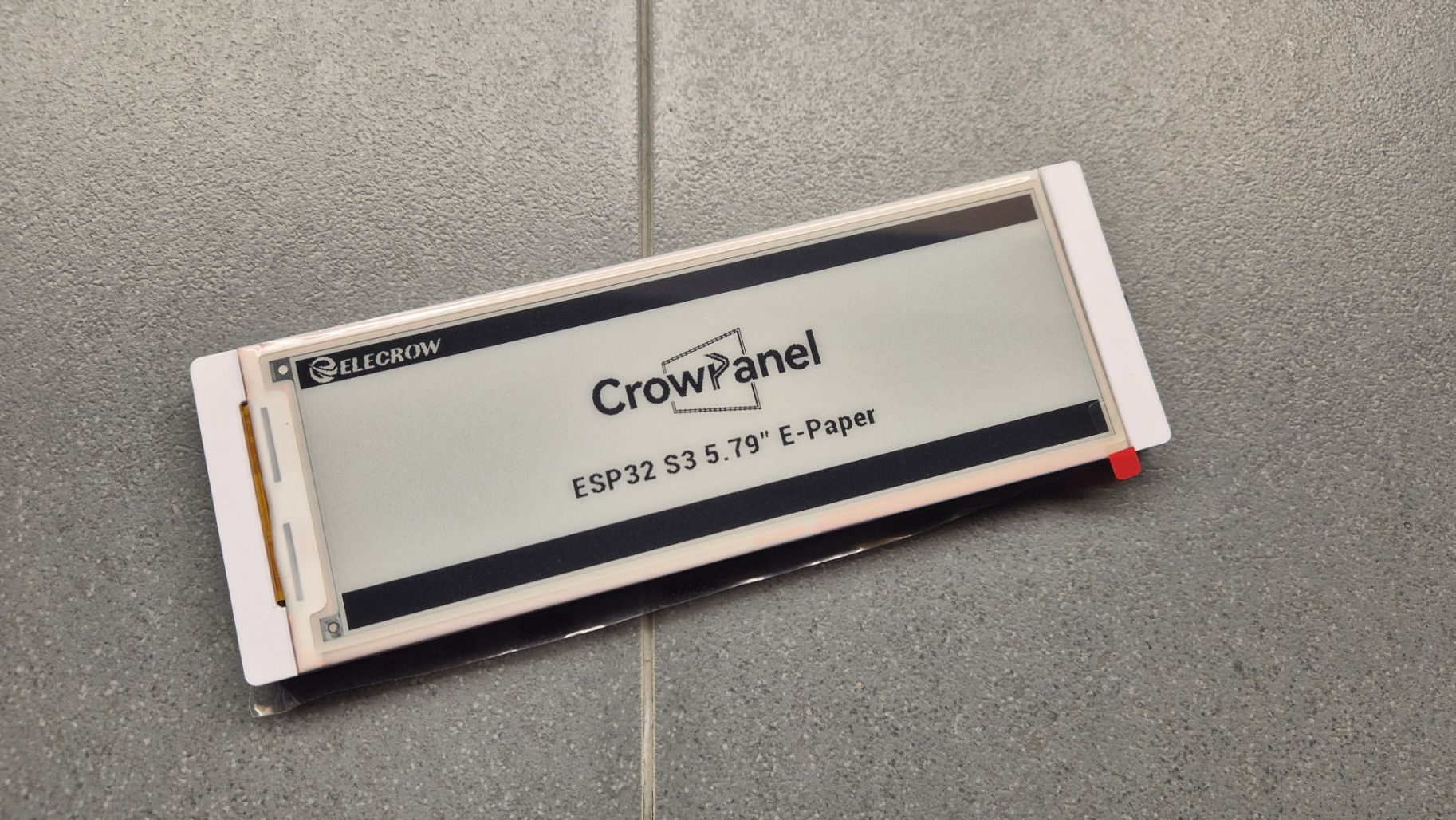
Elecrow 5.79-inch E-paper Display
We have previously reviewed the RCO50S 5-Inch HD Capacitive Touchscreen Monitor and the CrowPanel Advance 7.0-HMI ESP32 AI Display, both of which are excellent display products designed for industrial, home, medical, and agricultural applications. However, in this post, we’re not discussing those displays; instead, we will focus on the new 5.79-inch E-paper Display from Elecrow. And if you’re thinking, “Not another E-paper display,” think again—this one stands out from the rest.
The Elecrow 5.79-inch E-paper Display is a low-power, black-and-white electronic paper screen with a 272×792 resolution and SPI interface. Like other e-paper displays, this one also retains displayed content without power and offers excellent readability in sunlight. So, what’s different about this one?
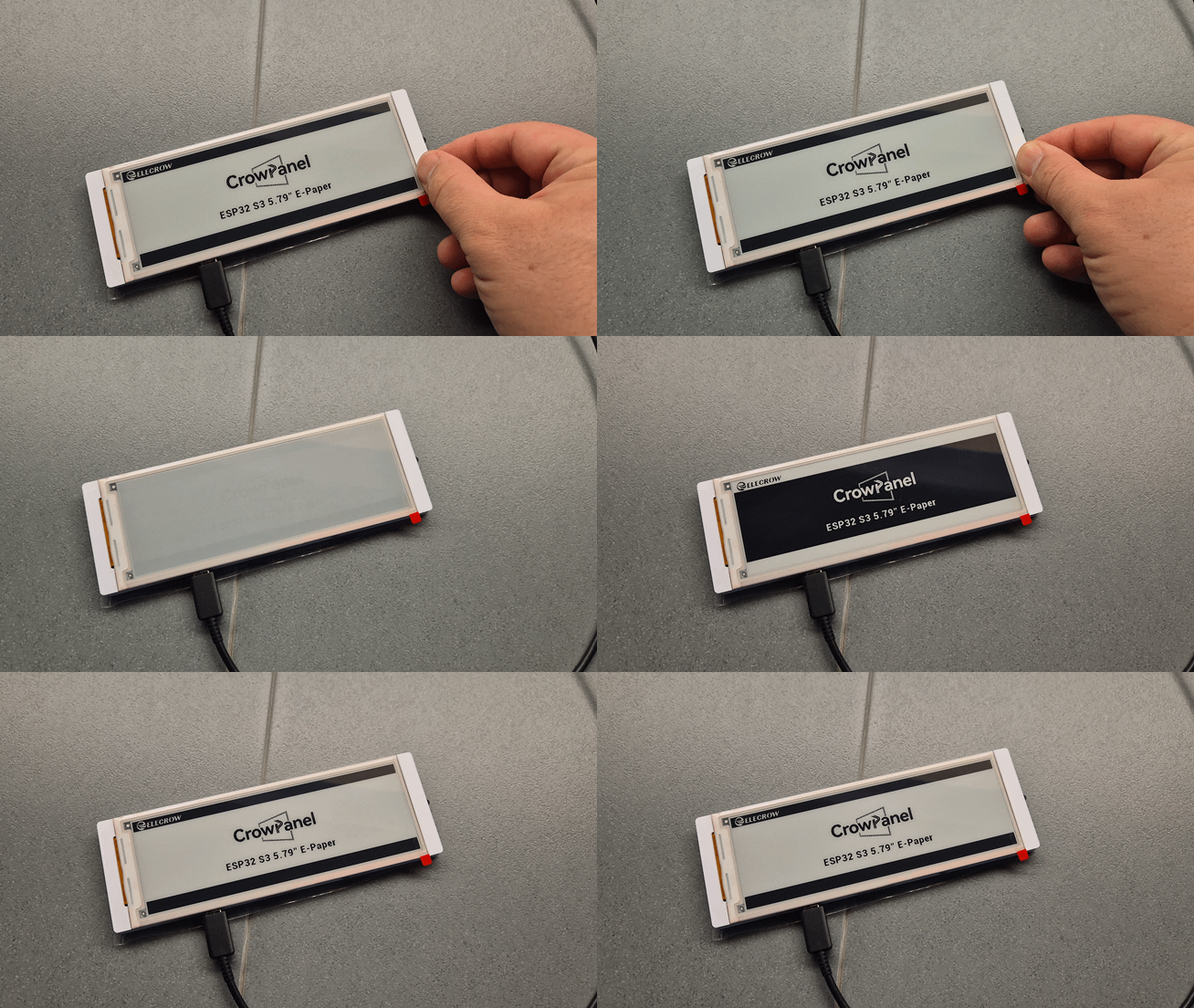
The difference is in its partial refresh feature, meaning you can update only a section of the screen, which is huge, and many other displays will not have this feature. Not only that, it also supports full viewing angles, ultra-low deep sleep current, and can run from a single-cell lithium battery as it has a perfect operating voltage range of 2.2V–3.7V. The display uses the SSD1683 driver, meaning it’s also compatible with most of the MCUs and features a hard-coated anti-glare surface. This form factor and compact size make this device suitable for embedded or handheld devices.
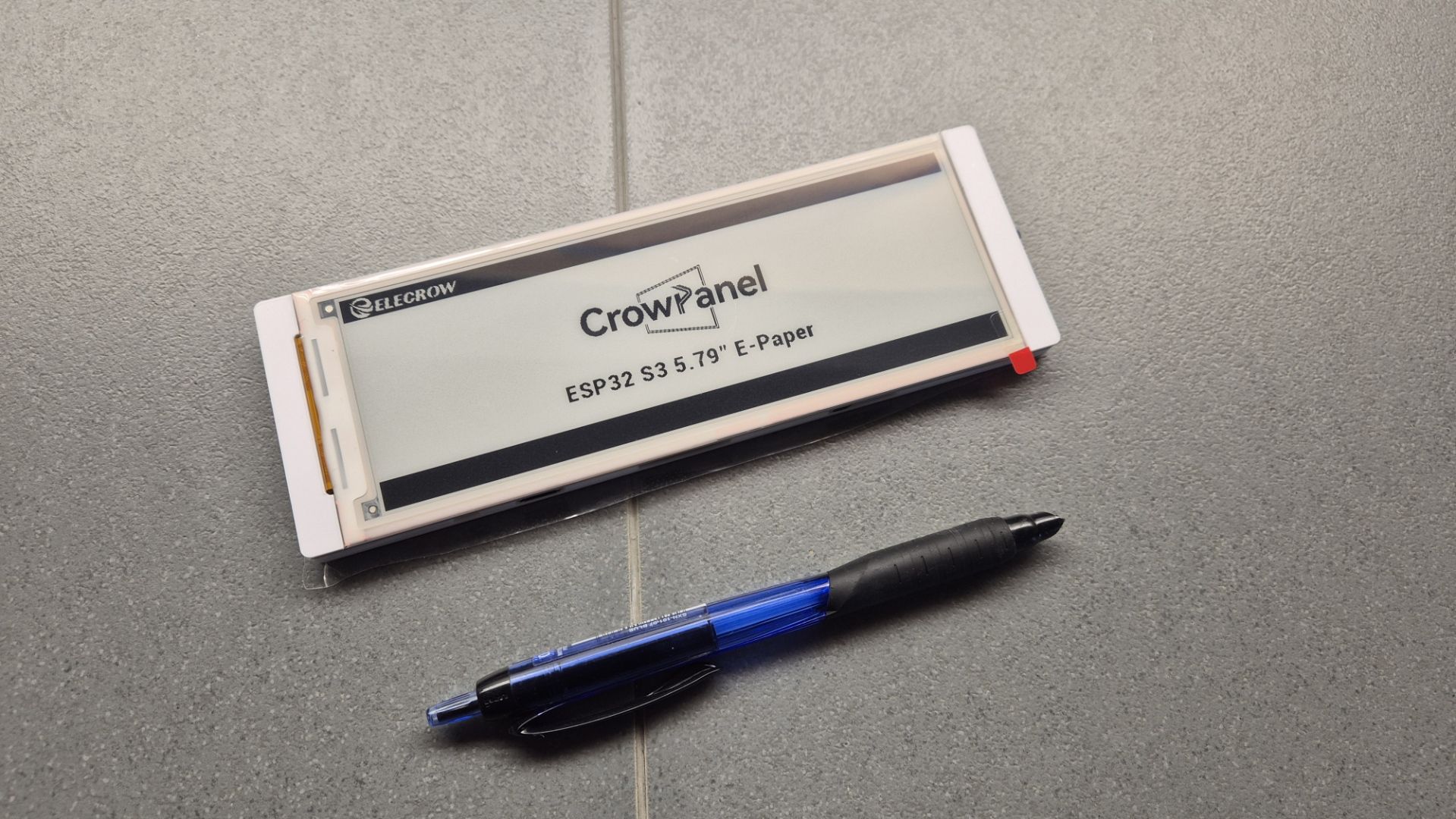
Elecrow 5.79-inch E-paper Display side by side with a pen
Design and Build Quality
Right out of the box, the 5.79-inch e-paper panel feels good and features great display quality altogether. It’s large, it has 272×792 resolution, which makes it easy to display multi-line content while being slim and light (just 60g), making it ideal for compact enclosures or embedded designs. As mentioned earlier, it’s protected with an anti-glare layer, which makes reading under direct sunlight easy. Another interesting thing about this display is that the mechanical dimensions of the display are well-documented, so if you are planning to make an enclosure for the display, Elcrow has got you covered. Additionally, it features a 24-pin 0.5mm connector that you can use to connect the display to a suitable MCU. In theory, everything looks good, but the company does not provide any breakout boards for the display, so beginners might find it tricky without prior experience in handling flat ribbon cables or designing a carrier PCB.
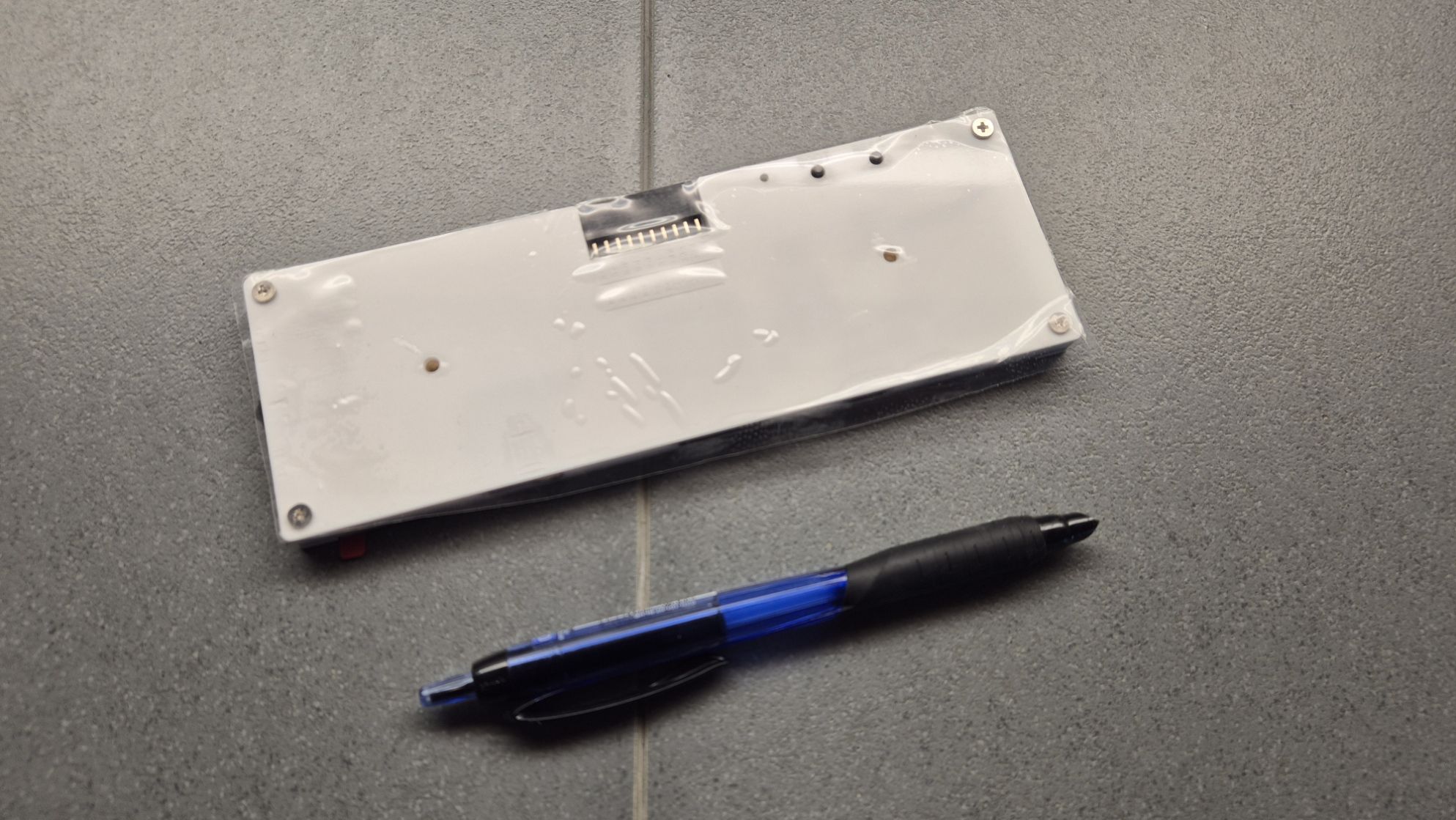
Elecrow 5.79-inch E-paper Display – back view
Display Performance
The form factor makes the display very well suited for various applications. The display is rectangular, icons look clearer, and the text is easy to read, especially for list-style content, vertical tags, or barcodes in the supermarket. It has a great contrast ratio, which makes it readable in both indoor lighting and direct sunlight. Like most E-paper displays, it uses no power to hold an image, so even if you unplug it, the screen stays as it is, making it ideal for low-power or battery-based projects.
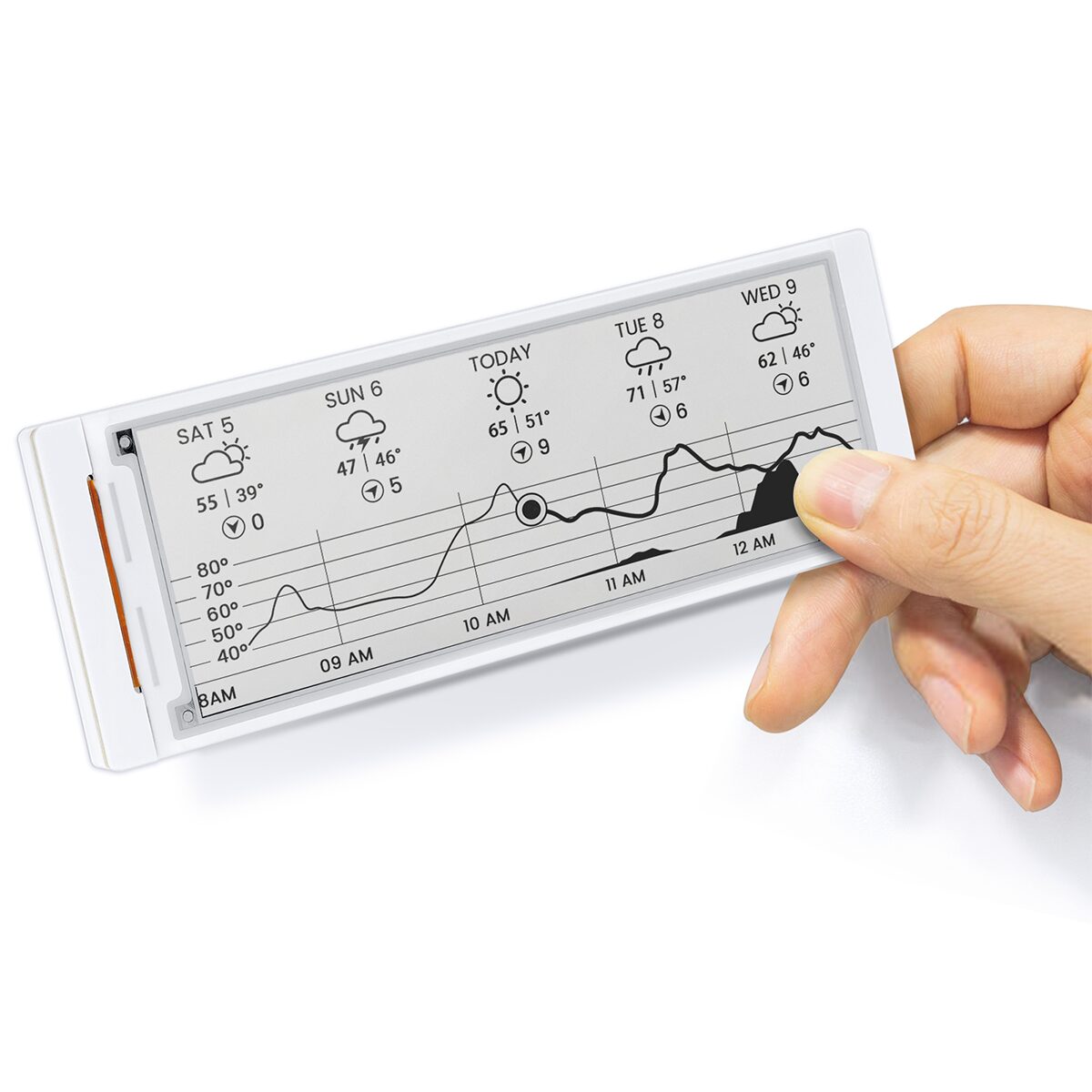
Elecrow 5.79-inch E-paper Display as weather station
Compatibility
The display features two SSD1683 driver ICs and uses the SPI communication protocol for communicating with the MCU. It has clearly labeled pins SCL, SDA, CS, DC, RES, and BUSY, making it easy to connect with most SPI-based e-paper libraries, and we all know that the SSD1683 driver ICs have a lot of libraries and community support. The operating voltage of this device is between 2.2V to 3.7V, making it perfect for a battery-operated device. You can also use this display with 3.3V logic microcontrollers like the ESP32, STM32, or Raspberry Pi Pico. But one thing you need to remember is that there’s no built-in voltage regulator or level shifter on the display, so you need to be careful and make sure you don’t connect it directly to 5V microcontrollers without using a level converter.
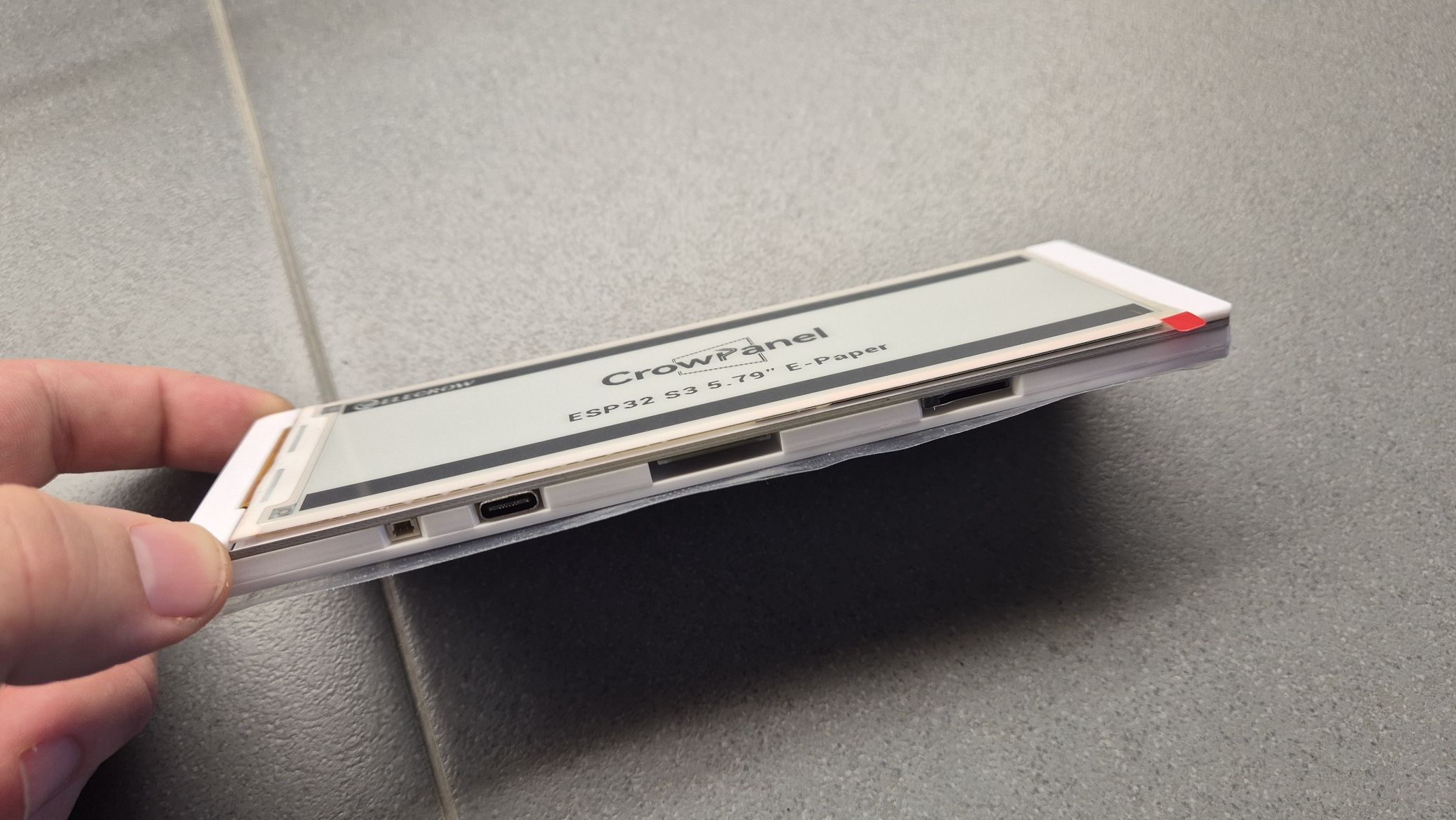
Elecrow 5.79-inch E-paper Display – USB-C View
Power Efficiency
This is where an e-paper display outnumbers everyone. It features an ultra-low power deep sleep mode where the current draw is almost negligible, allowing your project to run for weeks or even months on a single charge. Since the display retains static content like time, labels, or sensor data without needing constant refresh or power, it’s a perfect fit for off-grid displays, solar-powered devices, or remote sensors where updates are less frequent.
Technical Drawbacks
One downside of this display is that no breakout or dev board comes with the display, so you need to make a custom PCB or use an FFC breakout board for connecting and testing the display. Also, there are no official Arduino examples, while third-party SSD1683 libraries work; a basic setup guide from Elecrow would help. Lastly, the display only supports black and white, with no red or yellow options like some other e-paper screens.
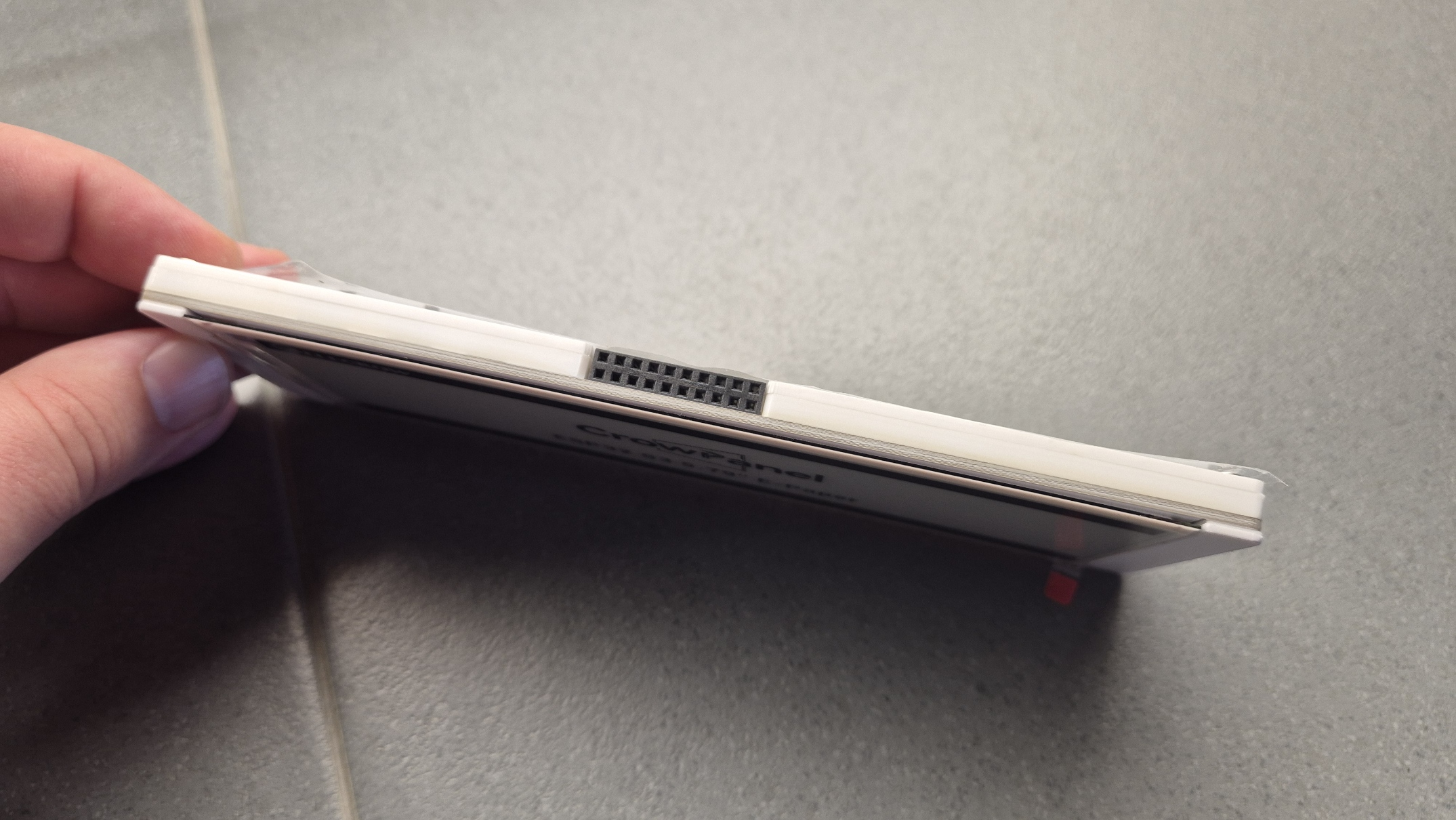
Elecrow 5.79-inch E-paper Display – GPIO view
Alternatives
If you are looking for a complete plug-and-play solution, you can check out other e-paper displays with onboard controllers like the CrowPanel ESP32 5.79” E-paper HMI Display, the CrowPanel ESP32 1.54” E-paper HMI Display, the CrowPanel ESP32 2.13” E-paper HMI Display, and there are many other options to choose from.
Elecrow 5.79-Inch E-paper Display Specifications
- Display Type: Active Matrix Electrophoretic Display (AMEPD)
- Display Size: 5.79 inches
- Resolution: 272 (H) x 792 (V) pixels
- Pixel Pitch: 0.1755 x 0.1755 mm
- Display Color: Black and white
- Viewing Angle: Full viewing angle
- Refresh Mode: Partial refresh supported
- Driver IC: 2x SSD1683
- Interface: 3-/4-wire SPI (default: 4-wire SPI)
- Connector: 24-pin 0.5mm pitch pluggable FPC
- Display Retention: Content retained without power
- Backlight: None (pure reflective mode)
- Surface: Hard-coated anti-glare
- Operating Voltage: 2.2V to 3.7V
- Power Mode: Ultra-low current deep sleep mode
- Operating Temperature: 0°C to 50°C
- Storage Temperature: -25°C to 70°C
- Active Area: 47.74 (H) x 139.00 (V) mm
- Panel Dimensions: 56.94 (H) x 150.92 (V) x 1.0 (D) mm
- PCB Dimensions: 57.40 (H) x 165.00 (V) x 2.6 (D) mm
- Weight: 60 grams
Applications
All these features make it suitable for a variety of applications, including low-power solar applications, electronic shelf labels, price tags, smart badges, asset tags, and information signage. The vertical 272×792 resolution and full viewing angle also make it a good fit for industrial status panels, IoT dashboards, calendar or task displays, and e-paper to-do lists. With SPI communication and compact dimensions, it integrates easily into embedded systems, smart home devices, and portable battery-powered projects.
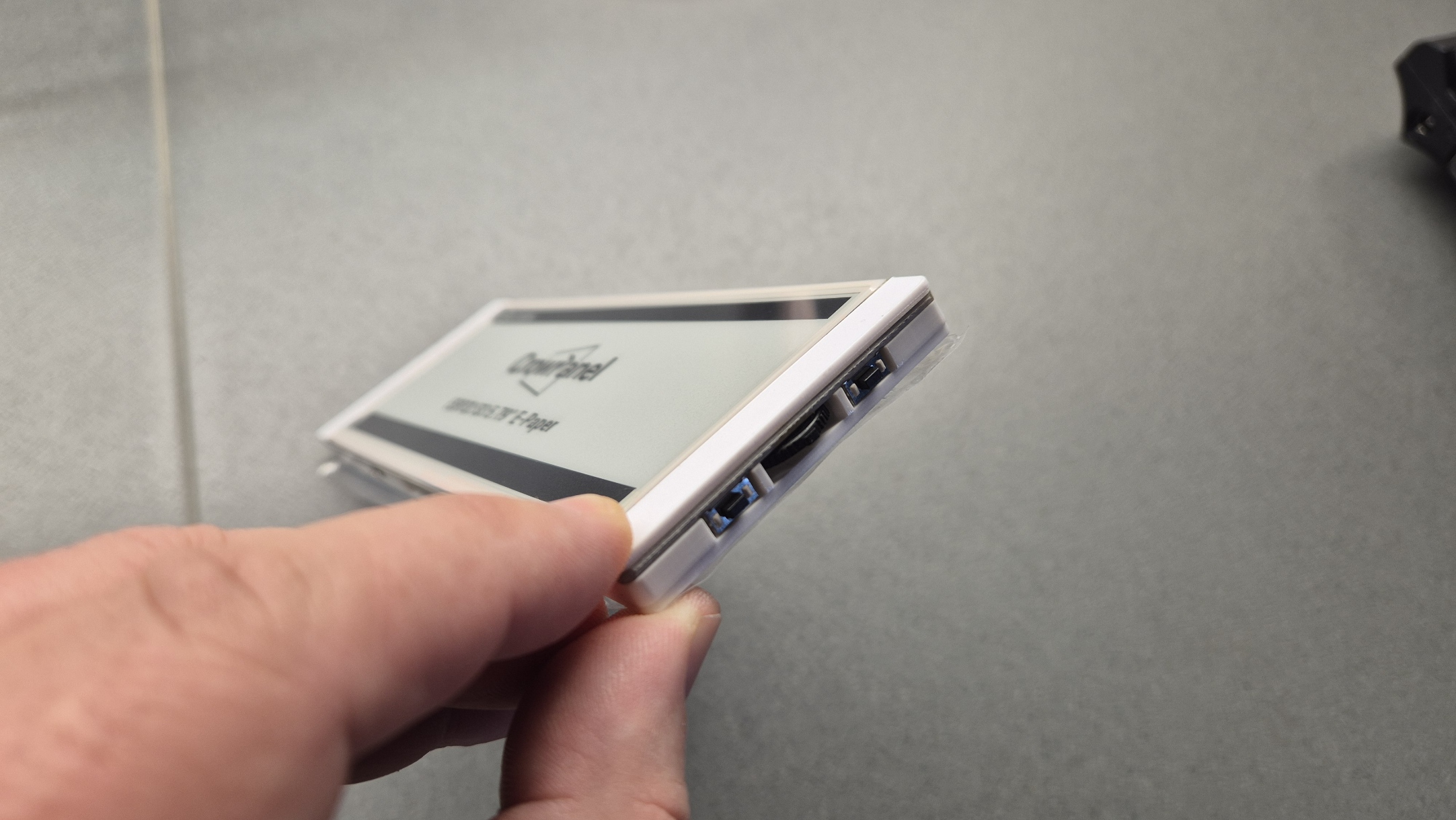
Elecrow 5.79-inch E-paper Display – Control buttons and dial
Conclusion
All in all, the Elecrow 5.79-inch E-paper Display comes with a good balance between price, performance, and power efficiency. It’s a great choice if you’re building a project that needs a slim, solar-powered screen with very low power usage. The display is especially useful for experienced makers working on things like smart labels or battery-powered IoT panels.
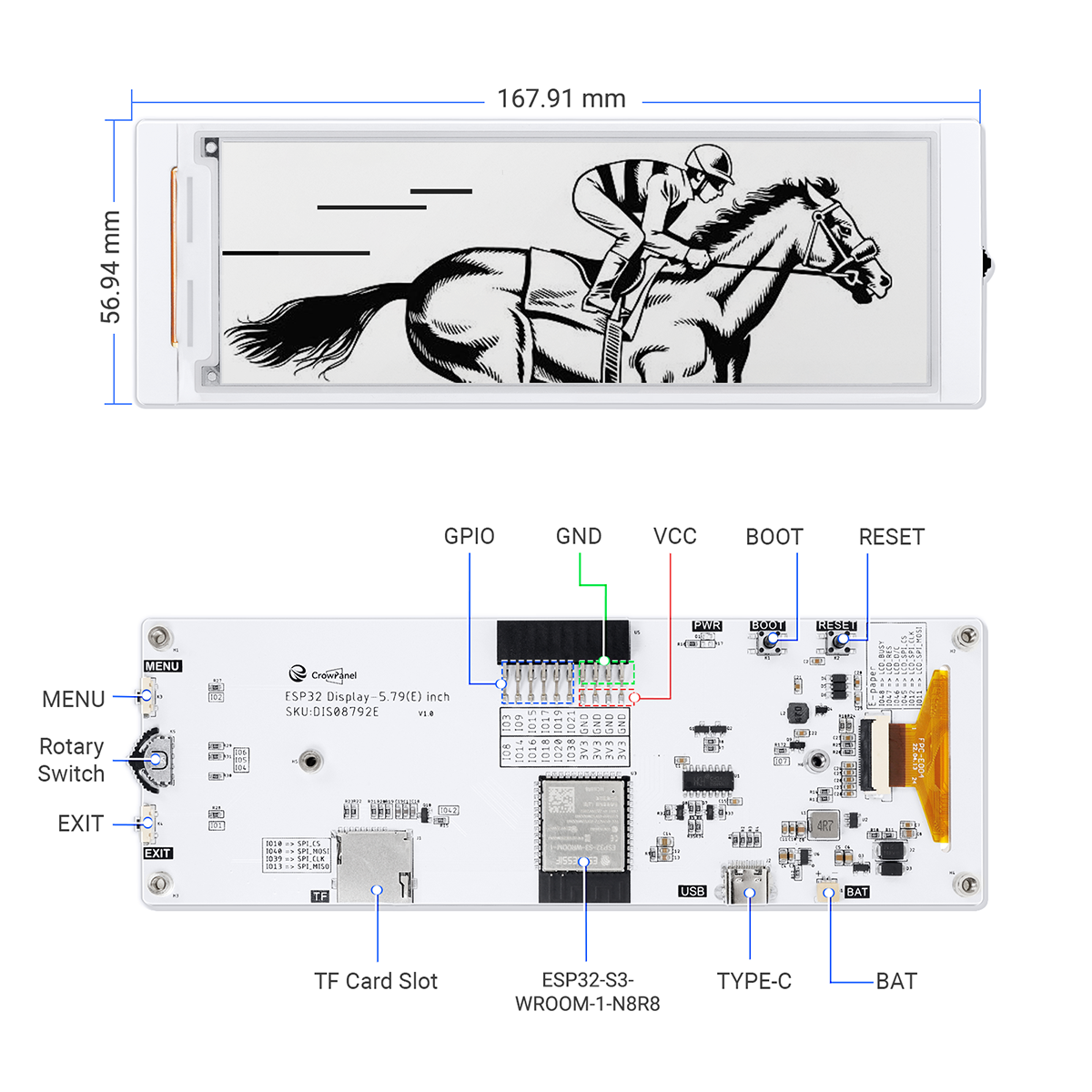
Elecrow 5.79-inch E-paper Display – Dimensions and main components
Wiki & External links
- Wiki
- 3D File
- SSD1683 Datasheet
- ESP32-S3-WROOM-1 Datasheet
- Schematic
- Post your tech questions in the forum
That said, with the beginner-friendly docs and example code it’s easy to start out. The display quality and hardware features make it a great option overall.
You can buy the Elecrow 5.79-inch E-paper Display from Elecrow website for 31.90 USD.
Images used courtesy of elecrow.com


