
The Raspberry Pi Tutorial – A Beginner’s Guide from thepihut.com
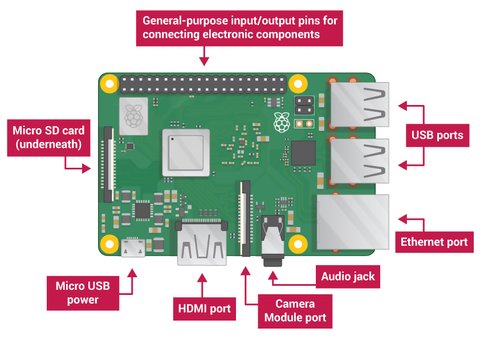
The Raspberry Pi has a number of ports which you will use to control the Raspberry Pi, and it can use to control other devices. Your Raspberry Pi will have the following ports: USB – USB ports are used to connect a wide variety of components, most commonly a mouse and keyboard.
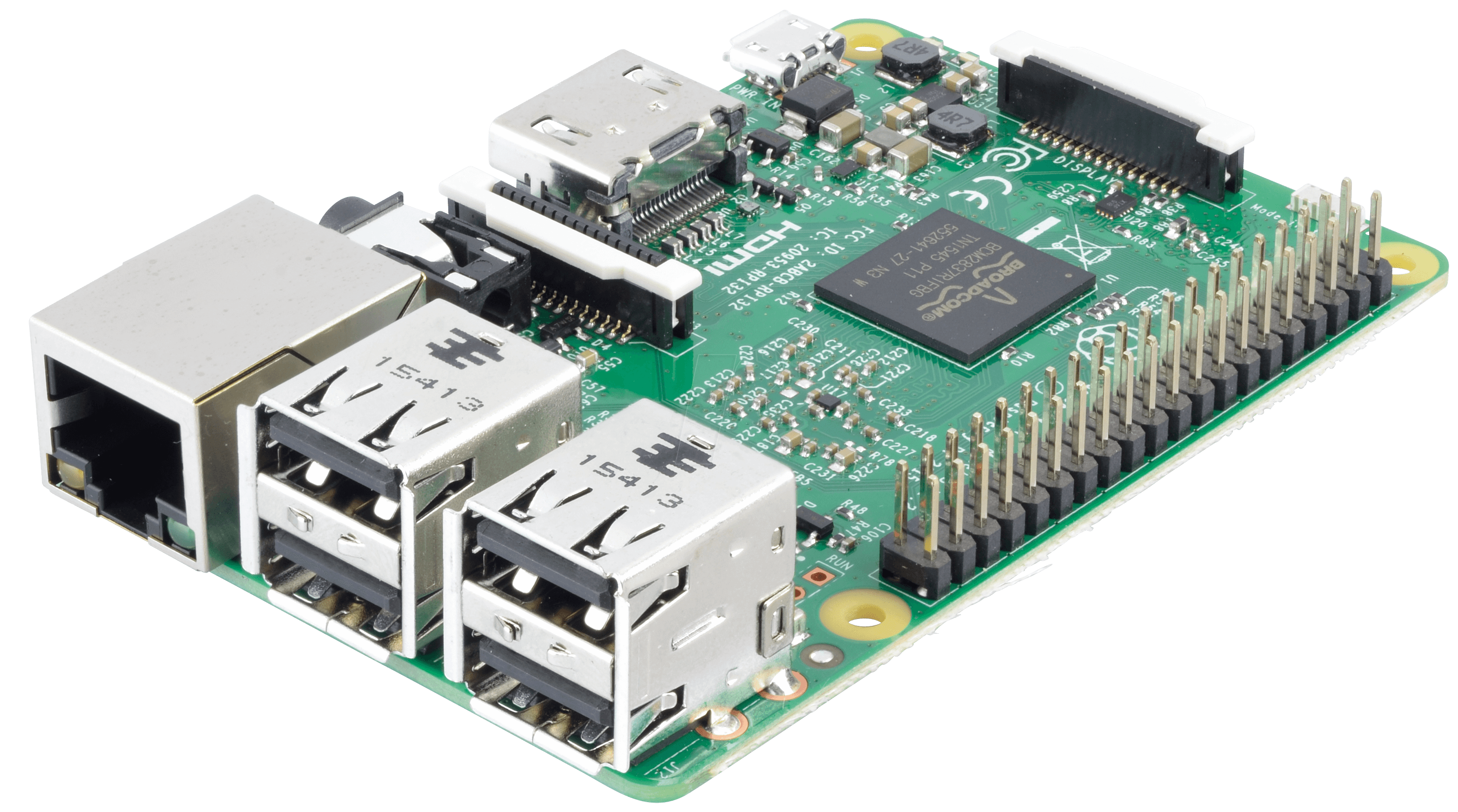
The Raspberry Pi has a number of ports which you will use to control the Raspberry Pi, and it can use to control other devices. Your Raspberry Pi will have the following ports:
- USB – USB ports are used to connect a wide variety of components, most commonly a mouse and keyboard.
- HDMI – The HDMI port outputs video and audio to your monitor.
- Audio – The audio jack allows you to connect standard headphones and speakers.
- Micro USB – The Micro USB port is only for power, do not connect anything else to this port. Always connect the power after you have already connected everything else.
- GPIO – The GPIO ports allow the Raspberry Pi to control and take input from any electronic component.
- SD card slot – The Raspberry Pi uses SD cards the same way a full-size computer uses a hard drive. The SD card provides the Raspberry Pi with internal memory, and stores the hard drive.
What you will need to get started
In addition to the micro-USB provided to power the Raspberry Pi, you are going to need a keyboard and mouse to control it, and a screen so you can see what you are doing.
You will also need an SD card, we will have provided one with Raspbian already loaded onto it.
Tags
Subscribe
Login
0 Comments


